10 Free Social Media Management Tools for 2026
·Updated ·18 min read

A free scheduler is useful only when it supports a repeatable publishing routine. If it merely lets you connect an account, queue a few posts, and admire the interface before hitting a ceiling, it is a trial with a friendlier label.
This comparison evaluates 10 free social media management tools by the publishing job each one supports, including platform coverage, account and post limits, workflow fit, free-plan friction, and the migration path when volume or collaboration grows.
The right choice depends on your networks, active account count, expected monthly posts, visual-planning needs, reporting requirements, and whether more than one person needs access. Before committing, it is useful to compare top social media schedulers against the workflow you already run, not against a feature checklist.
The numbered order follows our editorial view of practical workflow fit. It is not a universal score. A focused native tool can be the best option for one team while a broader scheduler is better for another.
1. Donivo
Donivo is built around a simple publishing job: connect your accounts, create one post, tailor the copy for each network, then publish or schedule it from one composer. It supports Facebook, Instagram, X, YouTube, TikTok, LinkedIn, Threads, and Bluesky across its plans, helping creators and small teams reduce tab-switching without adopting an enterprise dashboard.
The free plan includes 3 social accounts and 30 posts per month, with email notifications, automatic retries, and no X support. It does not require a credit card. Starter includes 2 workspaces, 10 accounts per workspace, and 300 posts per month. Pro includes 5 workspaces, 20 accounts per workspace, and 1,000 posts per month. Agency removes those usage limits. Current prices and founding-plan availability are shown on the Donivo pricing page.
A free plan should be judged against a real month of publishing, not the first ten minutes inside the app.
Why Donivo works for publisher-first teams
Operational safeguards matter when scheduled posts carry business responsibilities. Donivo uses each network's OAuth flow, automatically retries failed publishes, and sends an email if a post still needs attention. Separate workspaces on paid plans keep personal, brand, and client content apart.
The platform also includes free planning utilities such as Best Time to Post, an image-size guide and resizer, a UTM builder, an engagement-rate calculator, a post preview, a thread splitter, and a character counter. Google documents the roles of utm_source, utm_medium, utm_campaign, utm_term, and utm_content in its campaign URL guidance.
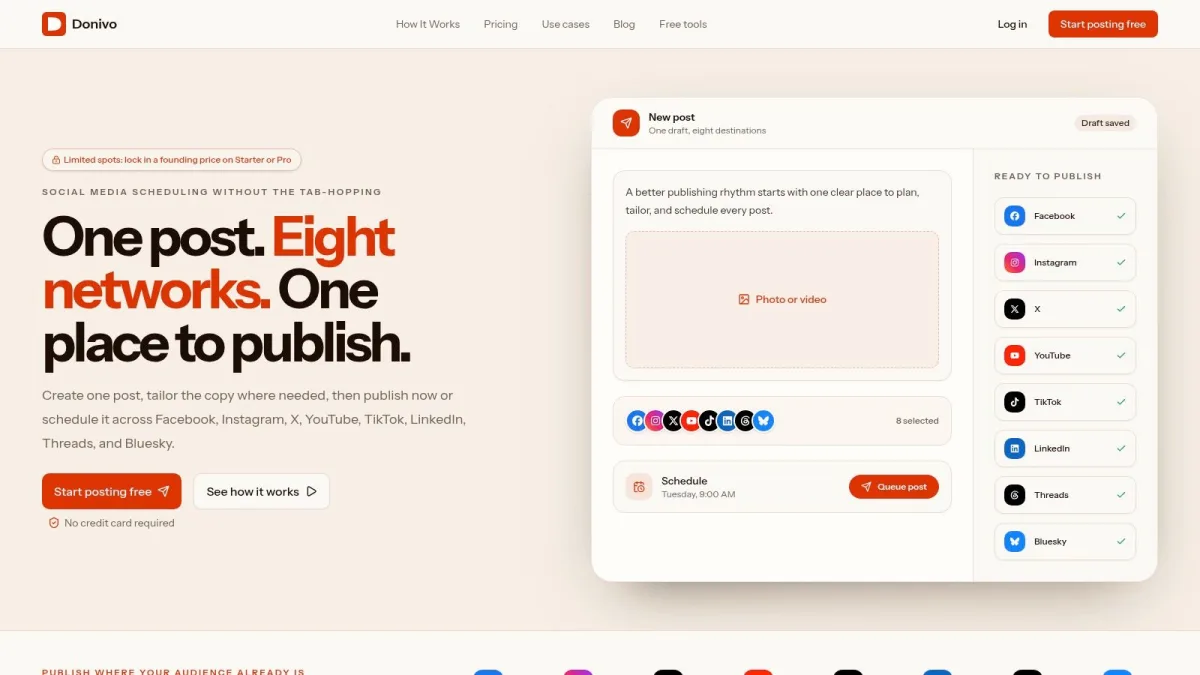
Donivo is not positioned as a full social-listening or enterprise-reporting suite. Its strength is lightweight publishing with visible limits and a roadmap where users can submit and vote on requests. Visit Donivo when the main problem is rebuilding the same post across networks.
2. Buffer
Buffer remains a strong choice for creators who want a clean calendar and a short path from account connection to a scheduled post. Its free plan supports 3 channels and 10 scheduled posts per channel. The queue refills as posts publish, according to Buffer's current pricing page.
Direct publishing covers Instagram, TikTok, Facebook, X, Pinterest, LinkedIn, YouTube Shorts, Google Business Profile, Threads, Bluesky, and Mastodon. The Buffer overview shows the wider publishing workflow, while its per-channel upgrade model is easy to understand when you outgrow the free tier.
The limitation that catches people
Ten pending posts per channel can feel tight when you plan several weeks ahead. Teams also need a paid plan for deeper collaboration and approval workflows. Buffer is best for a solo creator or small business with stable channel needs.
Compare its workflow with the Buffer and Metricool comparison if analytics may become as important as scheduling. Website: Buffer.
3. Adobe Express Content Scheduler
Adobe Express Content Scheduler suits people who create their own graphics and videos before publishing. The workflow stays inside Adobe Express: design an asset, preview it, place it on the calendar, and schedule it to supported social networks. The web and mobile apps connect the scheduler to templates and editing tools.
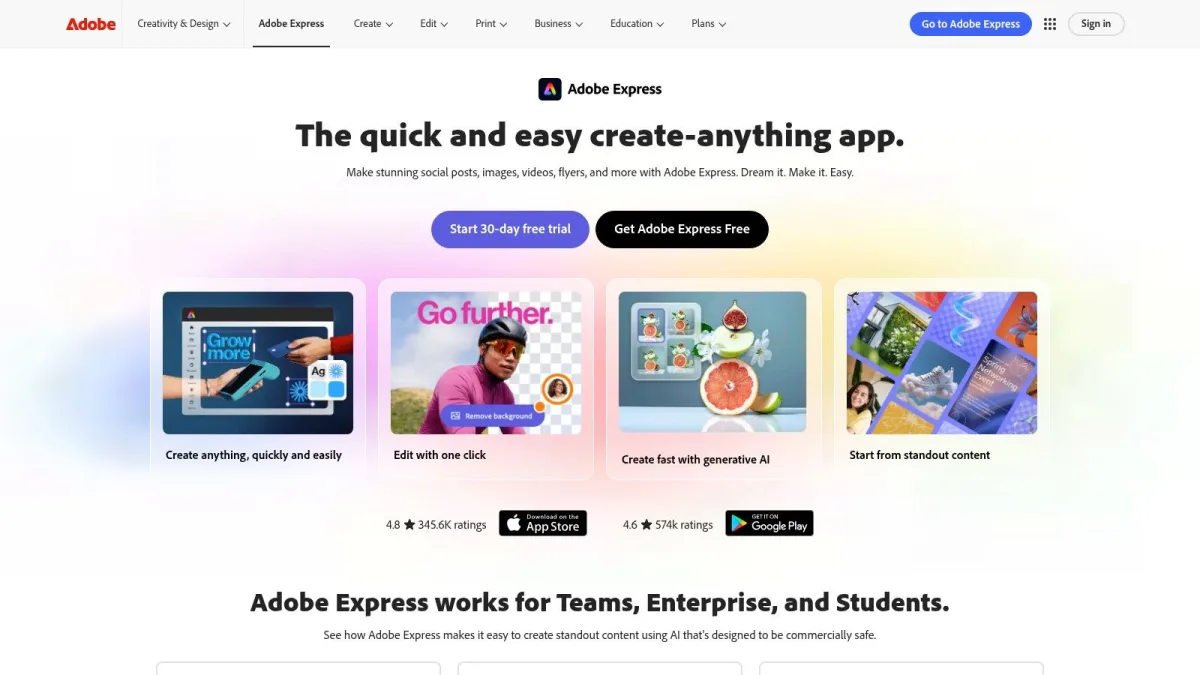
The design-to-publish connection is the main reason to choose it. A visual creator can avoid exporting an asset, opening another scheduler, uploading it again, and returning to the editor for revisions.
Where the free workflow stops
Adobe Express has a free plan, but advanced brand, collaboration, and analytics features require payment. Check the official Content Scheduler page for current network and allowance details.
Use Adobe Express when asset creation is the bottleneck. Choose a leaner scheduler when your graphics are already prepared. For portrait feed assets, current guidance commonly uses 1080 × 1350 pixels, while Stories and Reels commonly use 1080 × 1920 pixels, as summarized in this social image-size guide. Website: Adobe Express.
4. Metricool
Metricool is a natural fit for a single brand that needs scheduling and basic analytics in the same workspace. Its free plan supports 1 brand and 20 posts per month, according to this free-tool market review. Metricool itself confirms that the plan remains free forever and supports one profile per network inside that brand.
The one-brand structure is easy to understand, but becomes restrictive when you add clients or a higher publishing cadence. It is useful for testing whether measurement belongs in your daily workflow before paying for broader reporting.
Best use case and migration path
Choose Metricool when you need to answer which posts performed well, not only whether they were scheduled. Agencies and multi-brand teams will reach the free boundary quickly, while a solo operator can stay productive if one brand matches the business.
Review the Metricool alternatives when comparing an analytics-led platform with a publisher-first workflow. Website: Metricool.
5. Publer
Publer suits users who prepare posts in batches without needing an agency-focused platform. Its calendar supports cross-network scheduling and drag-and-drop planning, while its paid tiers add broader bulk and collaboration tools.
The free plan includes 3 social accounts, 10 scheduled posts per account, and 24 hours of post history. X cannot be connected on the free plan. Those limits are listed on Publer's plans page.
Publer works as a controlled starting point, but its short free history should not be your only measurement archive.
Choose Publer for small-volume scheduling. Choose another tool when historical reporting, X publishing, or long-term content analysis drives the workflow. Review these Publer alternatives before committing. Website: Publer.
6. Zoho Social
Zoho Social gives one business a credible entry point into multi-channel publishing. Its free edition supports one brand, one user, six channels, unlimited direct publishing, and recent-post performance. The supported bundle includes a Facebook Page, Instagram business profile, LinkedIn profile and Page, X, and Google Business Profile.
Those limits come from the official Zoho Social free-edition page. The wider product adds scheduling, analytics, monitoring, and connections with Zoho CRM and Zoho Desk on eligible plans.
What you will not get for free
The free edition focuses on direct publishing rather than the full scheduling calendar. Advanced collaboration, approvals, deeper analytics, and multi-brand management require paid plans. That matters as soon as a manager must review posts before publication.
Zoho Social is best for a single-brand operator already using Zoho's business suite, not a creator seeking the lightest possible interface. Website: Zoho Social.
7. Social Champ
Social Champ is aimed at low-volume publishers who want a live calendar, broad network coverage, and a direct route into paid plans. The product supports Facebook, Instagram, LinkedIn, TikTok, Pinterest, Google Business Profile, YouTube, X, Threads, Bluesky, and other channels, although availability varies by plan.
Its official site currently lists a free-forever plan with 3 social accounts, 1 user, and 15 scheduled posts per profile. A separate free social media tool review describes the same entry-level workflow, but treats the scheduling cap as a total. Follow the official plan before signup because vendor limits take precedence.
Who should choose it
Social Champ makes sense for a small business that wants broad network coverage at low volume. The free plan is less compelling for a team that needs a social inbox, detailed reporting, or role-based collaboration immediately.
Check the plan table before relying on a newer network or a specific feature. Website: Social Champ.
8. Planoly
Planoly is the specialist choice for a visually planned Instagram workflow. Its grid preview helps creators arrange upcoming content before publishing, and paid plans extend the workflow across more networks and higher volumes.
The free plan is mobile-only and capped at 10 uploads per month, according to Planoly's current plan information. That makes it a test environment for visual planning rather than a durable high-volume scheduler.
Visual planning versus operational scale
If Instagram presentation drives publishing decisions, the grid workflow can be worthwhile. If the priority is account separation, recurring queues, and multi-client operations, a broader workspace-based platform will usually fit better.
For the mechanics of building an Instagram queue, use this guide to schedule Instagram posts. Website: Planoly.
9. Pallyy
Pallyy is a focused scheduler for one publishing profile. Its current free plan supports 1 social account and 15 scheduled posts per month, as shown on the Pallyy pricing page.
The interface provides a visual calendar and media library. Paid tiers expand account coverage and add more capacity for agencies, brands, and collaborators.
A clear starting point with a defined ceiling
Pallyy's advantage is easy capacity planning. Match one profile and a small monthly queue to a specific publishing job, then expand if the workflow proves useful. Its ceiling appears quickly for multi-brand teams.
Keep copy and media in a separate archive so migration does not depend on the scheduler. Website: Pallyy.
10. Meta Business Suite
Meta Business Suite is the baseline for a workflow that stays inside Facebook and Instagram. It is Meta's native dashboard for creating, scheduling, and publishing feed posts, Stories, and Reels, with a shared calendar, basic insights, and an inbox for comments and messages.
Its main advantage is direct platform access. Facebook Page administrators can manage Facebook and Instagram without paying a third-party scheduler or connecting another publishing service.
The boundary is the product
Meta Business Suite covers Facebook and Instagram only. It will not solve a strategy that also needs LinkedIn, TikTok, YouTube, X, Threads, or Bluesky.
Use the native tool when your audience and team genuinely live inside Meta. Do not choose it as a multi-network solution simply because it is free.
A broader scheduler becomes useful when one publishing cycle requires several external networks or separate brand workspaces. Use this Facebook scheduling guide for a focused workflow. Website: Meta Business Suite.
Top 10 free social media management tools compared
| Tool | Free limit | Core workflow | Best fit | Main trade-off |
|---|---|---|---|---|
| Donivo | 3 accounts and 30 posts per month | One composer, a queue, a calendar, media, and delivery retries | Creators and lean teams publishing across several networks | X and advanced reporting require a paid or separate tool |
| Buffer | 3 channels and 10 queued posts per channel | A simple refillable queue and visual calendar | Solo creators and small businesses with stable channel needs | The queue is small and team workflows require a paid plan |
| Adobe Express Content Scheduler | Free plan with a vendor-defined scheduling allowance | Create assets and schedule them without leaving the editor | Designers and visual creators already using Adobe Express | More interface than a focused scheduler and limited advanced analytics |
| Metricool | 1 brand and 20 posts per month | Scheduling with basic analytics in the same workspace | One brand that wants measurement beside publishing | The one-brand limit becomes restrictive for client work |
| Publer | 3 accounts and 10 queued posts per account | Cross-network scheduling and lightweight bulk preparation | Solo publishers with a small, refillable queue | X, longer history, and analytics require a paid plan |
| Zoho Social | 1 brand, 1 user, 6 channels, and unlimited direct publishing | Multi-channel publishing and recent-post monitoring | A single business already using the Zoho ecosystem | The free edition does not include the full scheduling calendar |
| Social Champ | 3 accounts, 1 user, and 15 scheduled posts per profile | A live calendar with broad network coverage | Low-volume publishers who want a clear paid upgrade path | Collaboration, the social inbox, and deeper reporting are paid |
| Planoly | Mobile-only free plan with 10 uploads per month | Visual grid planning and Instagram-first publishing | Creators whose publishing decisions depend on feed layout | Desktop access and higher-volume workflows require payment |
| Pallyy | 1 social account and 15 scheduled posts per month | A visual calendar and small monthly publishing allowance | A single creator testing a consistent publishing routine | One account leaves little room for multi-network or client work |
| Meta Business Suite | No third-party plan cap for Facebook and Instagram | Native publishing, scheduling, insights, and inbox tools | Businesses working only across Facebook and Instagram | It cannot manage networks outside Meta |
Choose the smallest tool that supports the next stage
The best free social media management tool is not the one with the longest feature list. It is the smallest system that supports the workflow you can sustain now and the next operational change you already expect.
Start with the networks that must be covered. If the answer is only Facebook and Instagram, Meta Business Suite removes unnecessary third-party connections. If Instagram's visual grid is central, Planoly is the focused choice. If you need analytics beside scheduling, Metricool makes more sense than a publishing-only tool. If you rebuild posts across several networks, choose a broader scheduler.
Then count active accounts and expected monthly posts. Do not confuse a channel limit with a monthly post limit. Buffer uses a refillable per-channel queue, while Metricool and Donivo use monthly allowances.
A practical selection checklist
- Network coverage: List every network that must be managed from one workflow.
- Publishing volume: Estimate the posts you schedule in a normal month, including client work.
- Visual planning: Choose Planoly or Adobe Express when grid composition or asset creation drives the process.
- Analytics needs: Add reporting only when performance data changes publishing decisions.
- Team structure: Check users, approvals, workspaces, and client separation before inviting people.
- Migration path: Preserve copy, media, links, and UTM conventions outside the scheduler.
A real publishing cycle is the most useful test. Connect the accounts you use, prepare a representative batch, schedule it, review previews and notifications, then verify the published result. For a broader look at how companies assemble their social tool stacks, read this 2026 social media tools survey. Treat its vendor-reported examples as context, not as proof of a universal adoption or ROI benchmark.
Free plans commonly restrict accounts, posts, users, workspaces, history, analytics, or networks. This current free-tier overview compares several of those units, but each vendor's official plan remains the final authority.
When the workflow needs custom integrations rather than a standard scheduler, the top social media APIs overview outlines the access, approval, and maintenance trade-offs technical teams should consider.
Pick the tool that removes the current bottleneck, test it with real content, and upgrade only when a documented limit blocks the next stage. Donivo fits fragmented multi-network publishing, while Meta Business Suite, Planoly, Metricool, and the other specialists remain better choices for narrower jobs.