11 Social Media Hooks for Every Platform
·24 min read

A social media hook is the opening that earns the next second, sentence, or swipe by giving someone a relevant reason to continue. Catchiness is not enough. A surprising line that leads to a generic caption is still clickbait. The rest of the post has to fulfill the promise made at the start.
The 11 patterns below are organized by content objective and platform use case, not by one rigid formula. They cover attention, education, conversation, trust, conversion, and the practical work of adapting one idea for video, carousels, static posts, and text-led updates.
Short-form video gives the opening an especially visible retention job. Review the first few seconds, frame, and spoken line before polishing the rest of the edit. Verify every statistic, testimonial, scarcity claim, and authority statement before publication. If a claim cannot be supported, replace it with a useful example or a carefully bounded observation. An independent guide to proven social media hooks for founders and a separate video hook retention analysis offer additional context for reviewing that opening.
1. The Pattern Interrupt Hook
“Your content calendar might be the reason your content feels invisible.”
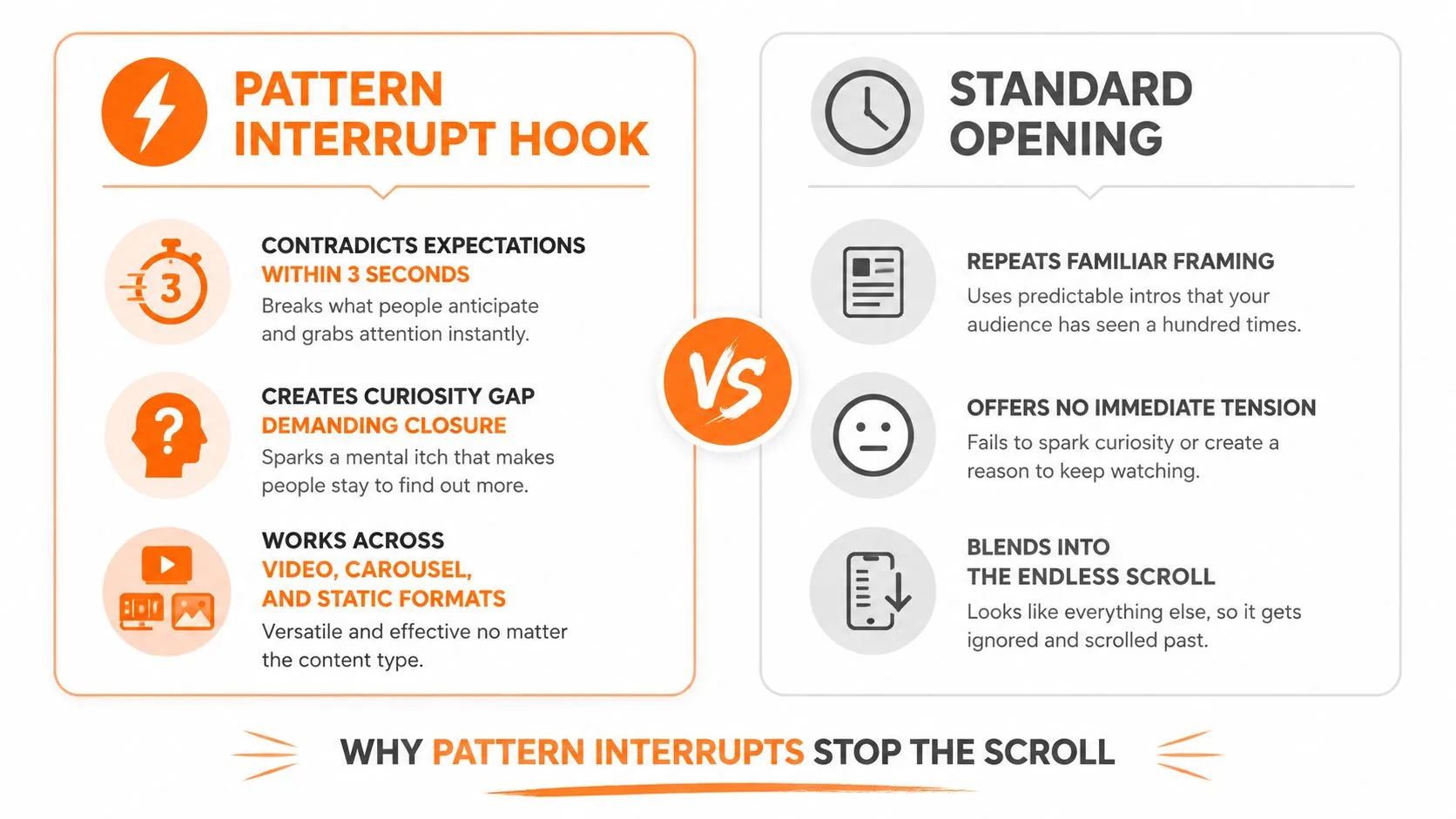
That opening contradicts the assumption that more planning automatically creates better social content. It works because the audience wants to resolve the tension. The rest of the post must explain the contradiction quickly, perhaps by showing how a rigid calendar can leave no room for timely ideas, audience responses, or platform-specific editing.
Pattern interrupts work especially well when the visual and verbal openings reinforce each other. In a video, begin with a finished graphic being crossed out, then show the simpler version that performs the intended communication job. In a carousel, place the unexpected claim on the first card and resolve it with a concrete example on the next cards. For a static post, use a direct visual contrast rather than a decorative image.
Practical rule: Contradict an assumption you can explain, not a belief you only want to provoke.
The trade-off is clear. This format can stop a scroll, but it can also attract people who are interested in the contradiction rather than your actual subject. If the payoff does not arrive, viewers may feel manipulated. Avoid claims such as “scheduling is useless” when your real point is narrower, such as “scheduling without review can flatten platform differences.”
Use this hook for education, myth correction, and storytelling. Do not use it to manufacture outrage, and do not repeat the same reversal until your audience learns to ignore it.
2. The Specificity and Surprising Stat Hook
A useful statistic should change the opening you choose, not merely decorate it. “The first few seconds deserve their own review before you schedule the full edit” gives the reader a practical implication instead of asking a number to do all the work.
Try: “Your opening frame deserves its own review before you schedule the full edit.” Then show three opening frames, explain how they differ, and connect each to a content objective. For video, state the claim aloud and repeat it in readable overlay text. For a carousel, place the claim on the first card, then use later cards to clarify the evidence and application. For a text-led professional post, use the statistic to introduce an analysis. Static posts need a shorter claim that remains understandable without the caption.
Verification is part of the hook
Check the source, date, population, platform, and exact wording before publishing. Evidence from one ad format should not become a general rule for every organic post. If the statistic is old, narrowly defined, or difficult to verify, replace it with a qualitative observation and a practical example.
Use this hook for research-led education and thought leadership. Choose another format when the audience needs an immediate how-to, the number may age quickly, or no reliable source supports the claim. A focused short-form social video hooks guide can help frame the review, while a dated overview such as DataReportal's Digital 2025 report can provide context, but it does not make every statistic suitable for a current post.
3. The Question Hook
“What would you change if your next post had to explain the whole idea without sound?”
A good question makes the audience perform a small act of reflection. It does not need to be mysterious. It needs to be relevant enough that the reader can answer from experience or wants to see how others answer.
Questions fit nearly every format. A short video can open with the question on screen while showing the problem. A LinkedIn post can ask for a specific professional experience, such as, “Which part of your publishing workflow causes the most rework?” A carousel can use the question as the first card, then answer it through a sequence of examples. A static image should keep the question short enough to read without opening the caption.
The strongest questions have a clear relationship with delivery:
- For conversation: “Which hook makes you stop, a question or a warning?”
- For education: “Why does your opening promise more than your caption delivers?”
- For research: “What would you test if the body of the post stayed unchanged?”
In a benchmark of 648 small-business social posts, standard text-and-image posts with question hooks averaged 2.2% engagement, compared with 4.3% for problem-first hooks. The result is directional, not a universal rule, but it suggests that curiosity alone may be weaker than a clearly stated problem for some business audiences. Questions are still useful when the audience has a reason to answer, not merely a blank space to fill.
Avoid questions that have an obvious answer, disguise a sales pitch, or ask for personal information the audience has no reason to share. A question should open a useful conversation, not outsource your thinking to the comments.

4. The Mistake and Warning Hook
“You are not losing attention because your topic is boring. You are losing it because the first frame asks people to wait.”
This warning identifies a recognizable problem without insulting the audience. The fix must follow quickly: show the original opening, replace it with the core outcome, and explain what changed. “Stop doing this” is weak on its own. “Stop opening with your company history when the audience needs the answer first” gives the reader something usable.
Warning hooks suit coaching, agency, and educational content because they frame the creator as a guide. They are also easy to adapt:
- Video: “The editing mistake that hides your best point.”
- Carousel: “Three opening-card mistakes that make useful advice look generic.”
- LinkedIn: “The publishing mistake that creates avoidable rework.”
- Static: “Do not bury the result in the final slide.”
Make the warning proportionate
Do not turn a minor copy problem into a business catastrophe. Say “this can reduce clarity” when that is what you can support. Avoid claims that a single weak hook will destroy an account, damage an algorithmic ranking, or guarantee lost revenue.
This hook earns trust when it helps the reader avoid a real mistake and gives them a replacement they can use immediately. It fails when it only creates fear. For a deeper operational view, read the guide to social media automation risks.
5. The Value and Benefit-First Hook
“Use this three-step opening to turn one idea into a video, carousel, and LinkedIn post.”
The benefit-first hook removes uncertainty. The audience knows what they will receive before deciding whether to continue. That makes it a natural fit for tutorials, professional education, product walkthroughs, and time-conscious business audiences.
A useful version names the deliverable, not a vague outcome. “Improve your content” is weak. “Write two opening lines for the same post and adapt each for video and text” is specific. The body should deliver the promised steps without a long introduction.
Try this structure:
- State the result: “Turn one customer question into four platform-ready openings.”
- Show the method: Demonstrate the same core promise in different formats.
- Give the next action: Ask the reader to choose the version they will test.
This format is direct, but directness can reduce intrigue. If the benefit is familiar, the audience may assume they already know the answer. Add a meaningful constraint or audience context, such as “for a small team publishing without a dedicated editor.”
For idea generation, browse Donivo's social media post ideas resource. A tool can help you find a topic. It cannot deliver the promised insight for you.
6. The Demonstration and Before-After Hook
“Before: ‘A few thoughts on content planning.’ After: ‘Turn one customer question into next week's social posts.’”
The contrast does the explaining. Readers can see how a vague opening becomes a useful one without accepting an unsupported claim about performance. This makes demonstrations powerful for copy reviews, design tutorials, editing workflows, and product education.
For video, show the old version for a moment, then replace it on screen with the revised version. For a carousel, use the first card for “before,” the second for “after,” and the following cards to explain the decisions. For a static post, put both versions in a clean split layout. In a text-led update, use formatting to make the difference obvious.
Proof needs context
A before-and-after example proves that something changed. It does not prove that the change caused a specific business result. If you show a campaign, state what was edited, what remained constant, and what the audience should learn. Do not imply that one rewrite guarantees more reach, clicks, or sales.
A practical workflow includes checking the final appearance on each network before publishing. Donivo's social media post preview tool lets you inspect the text, name, avatar, image, and feed treatment before the post enters the publishing workflow.
Use demonstrations when you have a genuine comparison. Avoid polished “after” examples that omit the time, resources, audience, or constraints involved. The more transparent the comparison, the more credible the lesson.
7. The Storytelling and Narrative Hook
“At 8:55, the post was ready. At 9:02, the team discovered that the opening line made sense only on the network where it was written.”
This hook places the audience inside a situation with a character, setting, and problem. It creates a reason to follow the sequence instead of receiving an isolated tip. The resolution might show how the team rewrote the opening for a video, a carousel, and a text-led post.
Stories work best when the tension reflects the audience's experience. A solo creator can tell the story of discovering that a carefully written caption became unreadable when placed over video. A marketing team can describe how one central idea required different first lines for TikTok, LinkedIn, and Threads. A brand can use a customer problem, but it should preserve the customer's dignity and avoid inventing details.
Keep the scene economical. Short-form content cannot spend too long introducing background before showing the conflict. The first line should establish what changed or what is at stake. The later frames or paragraphs should deliver the lesson, not merely dramatize the problem.
Donivo's social media content ideas guide can help turn one topic into several narrative angles. The editorial judgment still belongs to the creator. A story that has no relevant tension is just a long introduction.
Story hooks are particularly useful for complex lessons, founder experiences, and behind-the-scenes content. They are less suitable when the audience needs a fast answer and the narrative adds no useful context.
8. The Social Proof and Authority Hook
“Three named customers used this workflow, and here's exactly what each one changed.”
Authority can reduce uncertainty, but only when the proof is real, relevant, and specific. A testimonial should identify the speaker with permission, explain the context, and use their actual words. A credential should relate to the subject. A customer count or result needs current records and careful wording.
The opening can use several forms of evidence:
- Customer testimony: A verified quote tied to a real experience.
- Relevant expertise: A qualification or role that directly supports the advice.
- Demonstrated work: A public example with enough context to inspect.
- Independent evidence: A source that supports the specific claim being made.
Do not use authority as decoration. “Experts agree” tells the reader nothing and makes an evidence-conscious claim impossible to inspect. A named source, linked study, or transparent demonstration gives the audience something they can evaluate.
Social proof is valuable in B2B, services, and high-consideration purchases, but it has serious trade-offs. Paid endorsements may require clear disclosure under FTC endorsement guidance, and selective testimonials can create a misleading impression. Never turn a single customer's result into a guarantee for every reader.
If you do not have a recognizable customer or formal credential, use process proof instead. Show the draft, the revision, the criteria, and the final adaptation. Credibility can come from inspectable work, not only from famous names.
9. The Controversy and Hot Take Hook
“Most brands do not need a bolder opinion. They need a narrower one.”
That is a defensible position, not an insult aimed at a random group. The post can explain that broad contrarian claims often create noise, while a focused disagreement gives the audience something concrete to discuss. For example, “Your LinkedIn post does not need a dramatic personal story if the lesson is already clear” invites a useful debate.
A hot take needs support. Use an example, define the boundary, and acknowledge where the opposing approach works. “Never use questions” is reckless. “Questions are less useful than problem-first openings when the reader needs a clear operational fix” is testable and appropriately limited.
Debate without damage
Controversy can attract comments, but comments are not automatically valuable. A polarizing opening may bring people who dislike the claim rather than people who need the solution. It can also damage trust if the creator keeps escalating the tone after the evidence runs out.
Use this pattern when you have a clear point of view and enough knowledge to defend it. Avoid targeting individuals, protected groups, or vulnerable customers. Do not manufacture conflict with false comparisons or claims you cannot verify. For a carousel, put the opinion on the first card, then dedicate later cards to evidence and exceptions. For video, state the take in the first spoken sentence and show the reasoning visually.
10. The Scarcity and Urgency Hook
“Registration closes Friday, and the workshop will not accept additional participants after that.”
This hook works only when the deadline or capacity limit is genuine. It tells the audience why action belongs now rather than later. The rest of the post should explain what is available, who it is for, and what happens after the deadline.
Use urgency for:
- Launches and registrations.
- Application windows and events.
- Expiring offers with clear terms.
- Real capacity or availability limits.
Adapt the format to the platform. Put the deadline in the opening overlay and spoken line for video. Use the first carousel card for the closing date, then explain the offer. On a static post, keep the deadline visible without making it the only information. In text-led posts, state the action, eligibility, and consequence of waiting.
False scarcity damages credibility. If “last chance” appears repeatedly while the offer remains available, readers learn that the urgency is not reliable. Avoid vague phrases such as “act fast” when you can provide the actual closing condition.
The ethical standard is straightforward. Do not invent a deadline, hide material conditions, or imply limited supply when none exists. Urgency should clarify a real decision, not pressure someone into an uninformed one.
11. The Value-Led Publishing Workflow Hook
“Write one promise, adapt it four ways, preview each version, then verify what published.”
A strong opening line still needs a dependable delivery process. Start with the core promise, then adjust its wording and media for the target network. A video may need spoken words and readable overlays. A carousel needs a first card that stands alone. A text-led post needs a first sentence that survives truncation and still makes sense without an image.
A practical workflow looks like this:
- Draft the core promise: State the problem, benefit, proof, or deadline in plain language.
- Adapt by platform: Change the opening rather than copying one caption everywhere.
- Check the preview: Review text length, image treatment, account context, and light or dark presentation.
- Choose the publishing mode: Publish instantly or use a queue after connecting the relevant accounts.
- Verify the result: Inspect the live post and record what happened to the opening, not only total engagement.
- Recover failures: Review the notification, correct the issue, then resend, reschedule, queue, or delete the failed item.
Donivo provides a centralized composer for Facebook, Instagram, X, YouTube, TikTok, LinkedIn, Threads, and Bluesky, with publishing queues, media attachments, previews, and workspace-based organization. Each network still has its own format and publishing rules. Threads publishing uses Meta's official Threads API, while Bluesky uses the AT Protocol and its official documentation specifies a 300-character post limit. A scheduler should support adaptation rather than pretend one universal version is enough. A comparison of Bluesky and Threads scheduling offers additional context for that platform-specific adaptation.
OAuth connection matters operationally too. OAuth 2.0 is designed to give a client limited access through access tokens without sharing the resource owner's password. Use each network's official authorization flow, review permissions, and confirm the destination account before scheduling. A connected account is not a substitute for checking the copy, media, timing, and context. A plain-language OAuth social-login security explanation can make that access-token model easier to evaluate, but it does not replace reviewing permissions or using each network's official authorization flow.
11 social media hook types, side by side
Use this table to choose a format based on the promise you can deliver and the resources you have available. The outcomes are directional, not guarantees. A hook still needs a relevant subject, a clear audience, and a body that fulfills the opening.
| Hook | Complexity | Resources | Directional outcome | Ideal use cases | Practical tip |
|---|---|---|---|---|---|
| The Pattern Interrupt Hook | Medium | Low–medium | High stop-rate and share potential | Short-form feeds, awareness, myth correction | Challenge an assumption you can explain, then resolve the tension quickly. |
| The Specificity and Surprising Stat Hook | Medium | Medium | Credibility when the evidence is current and relevant | Thought leadership, education, research-led content | Cite the scope and source; never turn a narrow finding into a universal rule. |
| The Question Hook | Low | Low | Conversation, replies, and useful audience context | Community building, coaching, feedback | Ask a specific question that the post can actually help answer. |
| The Mistake and Warning Hook | Medium | Low–medium | Recognition, trust, and practical shares | Coaching, agency advice, operational education | Name the mistake without shaming the reader, then show the replacement. |
| The Value and Benefit-First Hook | Low | Low | Completion and immediate utility | Tutorials, product education, professional audiences | Name the deliverable and provide it before asking for a click. |
| The Demonstration and Before-After Hook | Medium–high | Medium–high | Persuasion through visible change | Copy reviews, design tutorials, product demonstrations | Show what changed and what stayed constant; do not imply guaranteed results. |
| The Storytelling and Narrative Hook | High | Medium | Memorability and emotional engagement | Founder stories, complex lessons, behind-the-scenes content | Start inside a real situation and keep the conflict connected to the lesson. |
| The Social Proof and Authority Hook | Medium | Medium | Trust for skeptical or high-consideration audiences | B2B, services, case studies, expert education | Use proof that is real, relevant, permissioned, and specific. |
| The Controversy and Hot Take Hook | Medium | Low–medium | Debate and visibility with reputational risk | Thought leadership and established points of view | State a narrow position, support it, and acknowledge where the alternative works. |
| The Scarcity and Urgency Hook | Low–medium | Low | Short-term action when the limit is genuine | Launches, registrations, applications, real capacity limits | Give the actual deadline or condition; never manufacture scarcity. |
| The Value-Led Publishing Workflow Hook | High | Medium–high | More consistent adaptation and fewer publishing mistakes | Multi-network publishers, agencies, lean teams | Adapt the opening by destination, preview every version, and verify what published. |
Choose the Promise You Can Prove
The best social media hook is not the most dramatic one. It is the opening that matches what the post can deliver and what the audience needs from that platform.
Use a pattern interrupt when you can challenge an assumption and resolve the tension clearly. Use a question when the subject benefits from conversation or self-reflection. These hooks earn attention and participation, but they should not replace a useful answer.
Choose a benefit-first or mistake hook when the post teaches a method or prevents a recognizable error. They respect the reader's time and make the value obvious. They can feel less intriguing than a mystery-based opening, but clarity is often the better trade-off for professional and educational content.
Use a demonstration when you have a real before-and-after comparison, and use storytelling when a situation, conflict, or decision makes the lesson easier to understand. Demonstrations make evidence visible. Stories make abstract ideas personal. Neither should hide the conditions that shaped the result.
Reserve authority hooks for proof you can verify. That means genuine testimonials, relevant credentials, public work, or properly sourced evidence. Do not use invented customer language, unsupported adoption claims, or anonymous “expert” approval to make a weak point appear established.
Use a hot take when you can state a narrow, defensible position and support it with examples. Use urgency only when a deadline, capacity limit, or availability condition is real. Artificial controversy may bring attention, and artificial scarcity may prompt action, but both can erode trust when the audience discovers the claim was not reliable.
The publishing workflow turns these patterns into repeatable practice. Adapt one core opening for video, carousel, static, and text-led formats. Check how each version looks in preview. Schedule or publish it through the appropriate account, then verify the live result and recover any failed publication instead of assuming the platform handled it.
Choose one objective for your next post. Write two opening lines for that objective, adapt both to the target platform, preview them, and schedule or publish them under the same practical conditions. Review the most relevant response, then use what you learn to refine the next version rather than declaring one hook universally superior.