Social Media Automation Risks: What Can Go Wrong and How to Reduce It
·13 min read
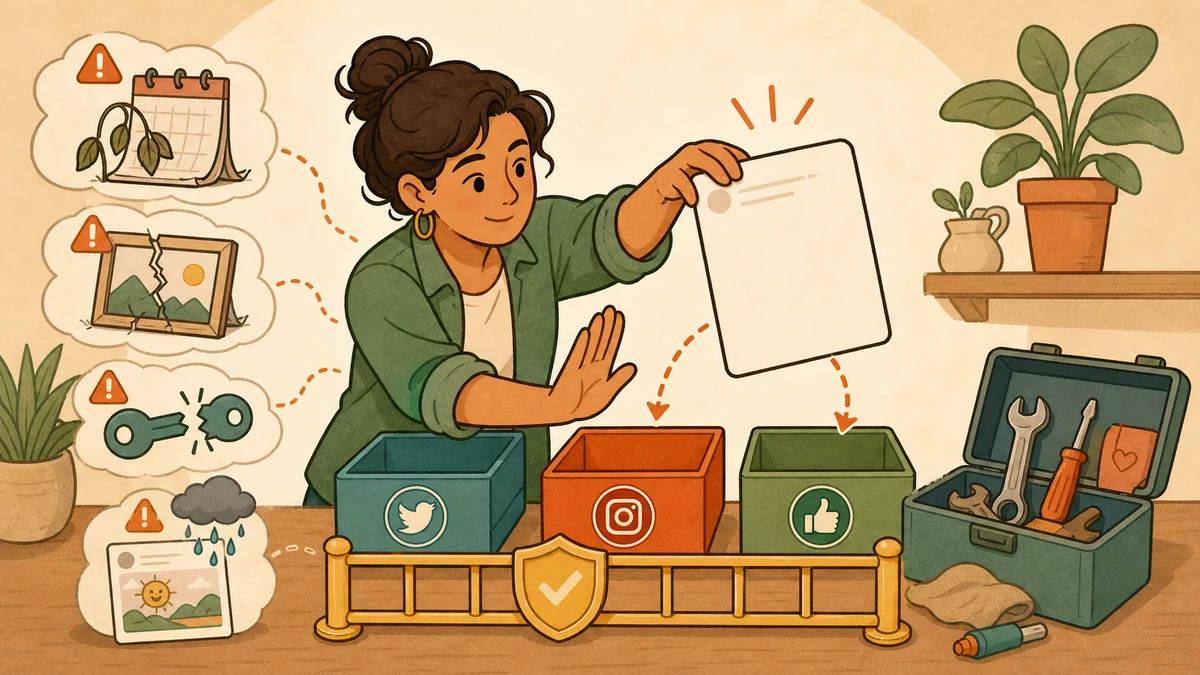
The biggest risk of social media automation is not automation itself. It is allowing one wrong decision to publish quickly, repeatedly, or across several accounts without a clear owner. Common failures include the wrong account, stale content, broken media, expired access, policy violations, missed context, and over-automation. Reduce them with an approved source, destination checks, supported connections, visible status, a pause control, and a named recovery owner.
Start with the broader guide to what to automate and what to keep human if you are still deciding the boundary. Use this page when you already schedule or publish automatically and need to ask a harder operational question: what can go wrong, how will we notice, and who fixes it?
The safe operating rule
Automate the repeatable action, not the judgment around it
Before
Approve the source, account, version, format, time, and expiry rule.
During
Keep queue status, delivery errors, and a pause control visible to an owner.
After
Verify the live result and turn each failure into a better check.
Social media automation risk register
A useful risk register pairs every failure with an early signal, a prevention step, and a recovery action. It does not pretend that every risk has the same probability or consequence. Adapt the owner and review depth to the account, audience, and type of content.
| Risk | Early warning | Prevent | Recover |
|---|---|---|---|
| Wrong account or brand | The account name, workspace, or destination does not match the approved brief. | Use distinct workspace names, visible account labels, and a final destination check before queueing. | Pause related posts, remove or correct the wrong post, notify the account owner, and fix the routing rule. |
| Stale or expired content | The post depends on an old offer, date, link, stock status, event, or product claim. | Add an expiry date and owner to time-sensitive posts. Recheck them close to publication. | Stop the queue, replace the source information, and review every scheduled version that reused it. |
| Format or media failure | The preview crops badly, a file is unsupported, copy exceeds a limit, or processing is incomplete. | Prepare a destination-specific version, validate the final upload, and verify the queue before leaving it. | Correct the media or copy, republish only to affected destinations, and confirm the live result. |
| Expired or excessive access | A connection fails, permissions changed, or an unused person or app can still publish. | Use supported authorization, enable stronger account protection, and review connected access regularly. | Reconnect through the official flow, remove unused access, rotate exposed credentials, and retry only after ownership is clear. |
| Policy violation | The workflow imitates human engagement, repeats spammy actions, or relies on browser scripts and unofficial controls. | Automate supported publishing, not fake follows, likes, comments, messages, or other manipulative actions. | Disable the offending automation, review the platform notice and current rules, then appeal or restore access through official channels. |
| Missed real-world context | A scheduled joke, promotion, or routine announcement now clashes with breaking news or a sensitive event. | Name a context owner, keep a pause control easy to reach, and review high-risk posts near publication. | Pause the queue, remove or revise affected posts, and decide whether a clear correction is needed. |
| Over-automation | The same weak draft, factual mistake, or generic response is spreading across several accounts. | Keep strategy, facts, sensitive content, and public conversations under human review. | Stop the source workflow, identify every derivative post, correct the shared input, and narrow what can run automatically. |
The first three failures happen before the post goes live
Wrong-account, stale-content, and format mistakes usually begin as quiet workflow errors. A copied draft keeps an old date. An account is selected because its avatar looks similar. One source image is sent everywhere even though each destination crops or processes it differently. Automation then makes the decision travel faster.
Treat the queue as a publication record, not a reminder list. Each entry should identify the source, exact destination, network-specific version, publication time and time zone, accountable owner, and any expiry condition. Then run the practical publishing checklist against the version that will actually publish.
Add a stop rule to every time-sensitive post
Write the condition that makes the post unsafe to publish: “stop if the event changes,” “stop after this offer expires,” or “stop until the named reviewer confirms the figure.”
The UK National Cyber Security Centre recommends that social publishing workflows keep content accurate, current, reviewed, and recoverable, including a plan for revoking access and responding to damaging posts. Its guidance on protecting social publishing also says management tools deserve the same security care as the connected social accounts.
Access problems are both a delivery risk and a security risk
A revoked connection can cause a missed post. An excessive or forgotten connection creates the opposite problem: a person or app may still be able to act after its job has ended. Review both sides. The workflow needs enough permission to publish the approved content, but no unexplained access that remains indefinitely.
Major networks provide ways to inspect and remove connected access. TikTok, for example, tells users to review the information requested by a third-party app and remove unused access in its connected-app settings guidance. The practical habit is broader than any one network: know which app is connected, what it may do, who approved it, and how to disconnect it quickly.
- Use the platform's supported authorization path.
- Never share a social-network password with a scheduler.
- Review connected apps when a person changes roles.
- Remove access that no longer has a clear owner or purpose.
- Know how to reconnect before a time-sensitive campaign.
Supported scheduling is not the same as bot activity
Search results often collapse every automated action into one category. Platforms do not. Their rules distinguish supported publishing and authorized applications from spam, fake engagement, scraping, browser scripts, and actions that surprise the account owner.
Lower-risk publishing
- A person approves the content and destination.
- The app uses a supported platform connection.
- The user understands what actions will occur.
- Status, errors, and a way to stop are visible.
High-risk automation
- Mass follows, likes, comments, or messages.
- Browser scripts that bypass supported controls.
- Duplicate activity designed to manipulate attention.
- Actions the account owner did not clearly approve.
X's current automation rules say users remain responsible for activity performed through their accounts, prohibit non-API website scripting, and require clear consent for automated actions through another user's account. LinkedIn similarly warns against unauthorized software and browser extensions that scrape or automate activity on its automated activity help page. Check the latest rule for every network rather than assuming one policy applies everywhere.
For the Instagram-specific distinction between supported scheduling and risky follower or engagement bots, read is Instagram automation safe?
Context and quality still need a person
A post can be accurate, authorized, and technically successful while still being wrong for the moment. Scheduled promotions may become insensitive after an emergency. A generic reply may ignore a serious complaint. A generated draft may repeat a factual error across several network versions. These are not connection failures. They are judgment failures.
Keep a human checkpoint for high-consequence claims, sensitive subjects, public conversations, and content whose meaning can change with the news. The owner does not need to watch every routine post in real time. They do need a clear pause path and a reason to use it.
Ask these four questions before a queue runs unattended
- Is the source factual, approved, and still current?
- Is every destination and version intentional?
- Can an owner see a failure and pause related posts?
- Would a context change trigger another review?
A four-step recovery plan for automated publishing failures
Recovery should be written before the first incident. The goal is to stop further damage, understand the full affected set, correct the public result, and repair the control that failed.
Step 1
Stop the spread
Pause the relevant queue or automation before investigating. Preserve the original post, account, time, and error details.
Step 2
Find the affected set
Check every account and destination derived from the same source. A single mistake may have several scheduled versions.
Step 3
Correct the public result
Remove, edit, or replace the content where the platform allows it. Use one accountable owner for sensitive corrections.
Step 4
Repair the system
Fix the source, route, permission, format check, or review rule before restarting. Record the new control in the workflow.
How Donivo keeps publishing automation narrow
Donivo focuses on approved scheduling and publishing across Facebook, Instagram, X, YouTube, TikTok, LinkedIn, Threads, and Bluesky. Accounts connect through OAuth, posts publish at the selected time, eligible failures are retried, and the user is alerted when attention is required. It does not automate follows, likes, comments, or direct messages.
That boundary reduces some risks, but it does not remove the publisher's responsibility. You still choose the source, account, version, timing, context, and response. The useful promise is simple: let software repeat the approved publishing work while a person keeps control of the decisions.