How to Reset Instagram Feed Algorithm
·8 min read
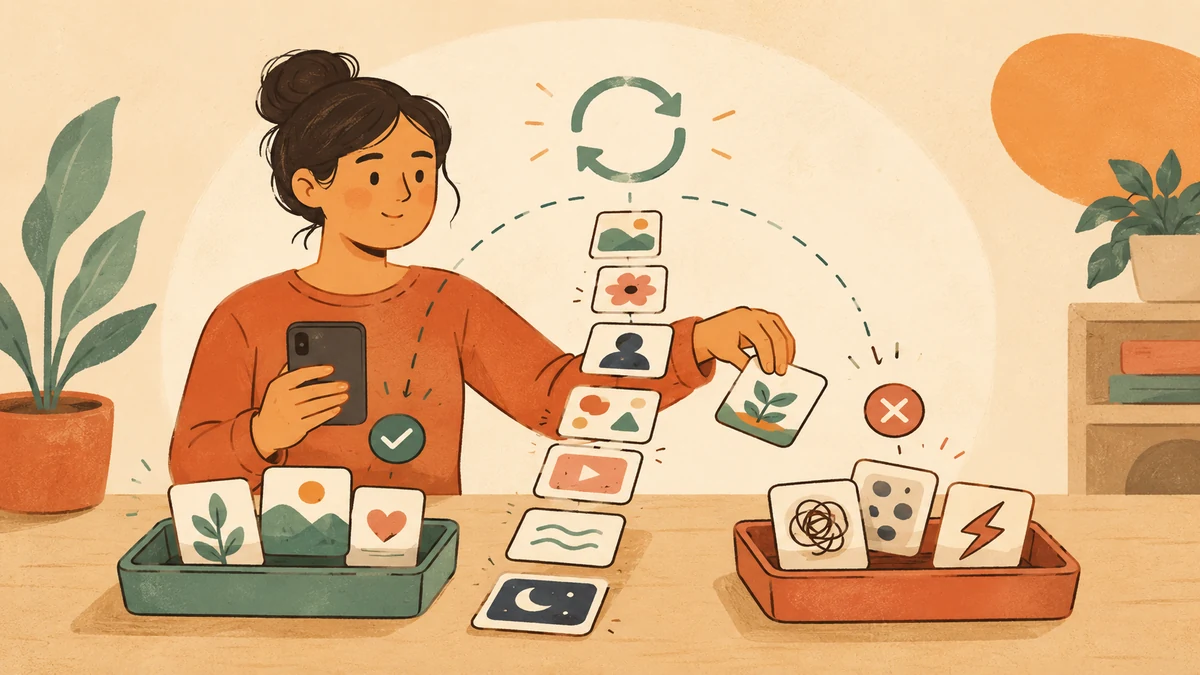
Most advice about how to reset Instagram feed algorithm gets one big thing wrong: there isn't a secret button that rewires everything at once. Instagram's own ranking model is built from ongoing behavior signals, so the job is to change what you keep teaching it, not to hunt for a magic wipe. In practice, that means resetting suggested content, then shaping the next few days of interaction so the feed has better material to learn from.
That matters because Instagram doesn't rank content from a single input. Its own explanations point to broad signal groups, the post itself, the person who posted it, your activity, and your history with that creator, which is why feed changes happen through habits, not wishful thinking. If you want a cleaner Instagram experience, the goal is to reshape several recommendation inputs at the same time, then keep them clean over time, much like the workflow described in Donivo's Instagram management guide.
What an Instagram Feed Reset Can Do
A feed reset does not erase your account or create a blank social identity. It adjusts recommendation inputs while keeping your followers, DMs, photos, follows, and account history in place. That distinction explains how to reset Instagram feed algorithm without expecting a total restart. Instagram can change what it emphasizes next, but it still uses the context built from your account.
What changes and what stays
Instagram's ranking explanations show why one action cannot rewrite every recommendation. The system considers many signals, such as when a post was shared, the device you use, and how often you like videos. Its feed overview also groups these signals into information about the post, the person who posted it, your activity, and your history with that creator (Instagram feed ranking overview). You can learn more about managing those inputs in this Instagram management guide.
Deleting the app, logging out, or switching accounts therefore does not rebuild your preferences from nothing. A reset can make Explore, Reels, and suggested-content surfaces feel less repetitive. It may also reduce stale topic clusters that keep returning after an accidental watch or search.
Your existing follows remain, and the reset does not change how Instagram ranks your content for other people. The result also depends on what you do afterward. A short period of deliberate interaction gives the system clearer signals than the reset alone.
Practical rule: treat the reset as a cleanup pass, then maintain the signals you want Instagram to follow.
Use the control to clear the strongest recommendation inputs, spend the next few days engaging only with relevant content, and remove unwanted signals as they appear. Over time, that routine reshapes the feed more reliably than repeatedly searching for a one-tap solution.
Using Instagram's Reset Suggested Content Control
Instagram's official reset lives inside the mobile app, not on desktop. The path is Profile → Menu → Content preferences → Reset suggested content → Next → confirm, and Instagram says the reset makes recommendations less personalized at first, then rebuilds them from your next interactions (Instagram Help Center, Instagram's reset announcement). If you only remember one thing, remember that this is a mobile-only control.
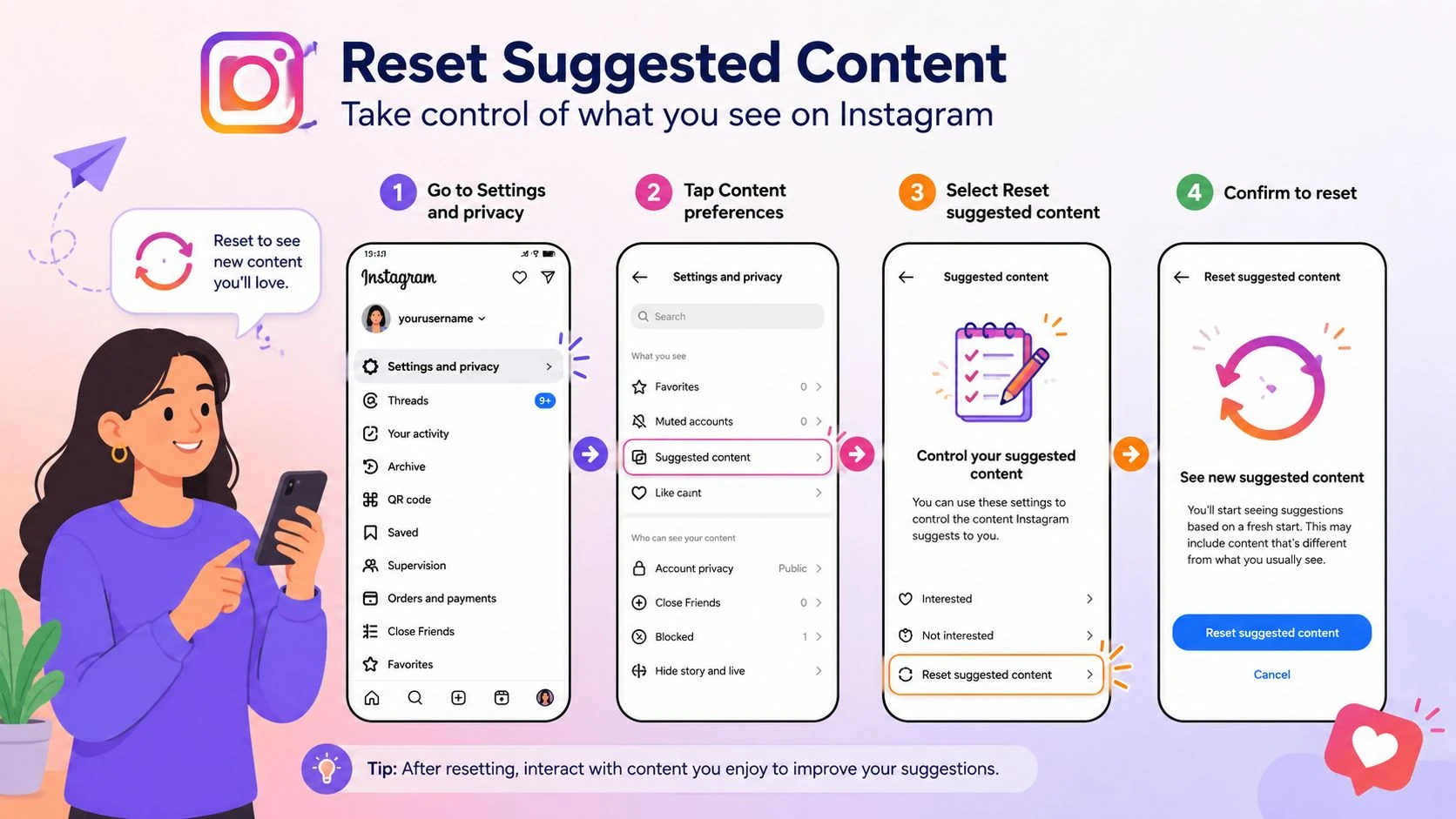
What to do before and after you confirm
Before you tap confirm, spend a minute in Reels and Explore marking clearly unwanted posts as Not Interested. That gives the recommender a cleaner starting signal than the reset alone, because the reset is a re-weighting, not a hard wipe. Instagram's own help flow also indicates that the reset is meant to be followed by preference review, not used in isolation.
After the reset, don't expect a perfect feed instantly. Instagram says the suggestions will be less personalized for a while and then rebuild from your next interactions, so the first sessions after the reset matter most. If your account is still full of old follows, the Home feed can still look familiar, because followed accounts weren't removed by the reset.
A useful way to think about it is this. Suggested content gets refreshed, but your account graph stays the same. That's why a reset works best when you pair it with a quick clean-up pass and then a few days of disciplined engagement.
For a useful companion while you're reworking what Instagram shows you, you can also use practical Reels tips from ClipCreator.ai to understand which viewing habits and content choices are worth reinforcing.
Retraining Your Instagram Recommendations
A reset only helps if your next few sessions send consistent signals. The simplest way to do that is to treat the next three to five days as a focused retraining window, not casual scrolling time. Keep it short, keep it intentional, and keep the content narrow enough that Instagram can see a pattern.
A short daily routine that teaches the system fast
Pick one block of time and use it on purpose. Search for the topics you want, follow a few creators in that niche, then like, save, and comment only on posts that fit the new direction. Instagram has said its ranking systems use many signals, including watch behavior and likes, so deliberate interaction is the strongest way to steer future recommendations (Instagram ranking explained).
Use negative feedback just as deliberately. Tap Not Interested on off-topic Reels, hide posts you don't want to see again, and mute accounts that keep surfacing the wrong material. That combination matters more than people expect, because the algorithm reads both positive and negative signals.
Good retraining is selective. If you keep watching unrelated clips “just to see what happens,” you're telling Instagram to keep the old pattern.
If you need a practical support tool while you're rebuilding what you search for and watch, the Instagram hashtag generator from Donivo can help you think through the niche terms you want to reinforce. Use it as a planning aid, not as a shortcut.
You'll get the cleanest results if your behavior is boringly consistent for a few days. Follow, watch, save, and search only within the lane you want, and avoid hopping back into the old content rabbit holes that caused the problem in the first place. That's how the system relearns faster.
Managing Accounts, Searches, and Unwanted Content
Feed cleanup works better when you treat each input separately. If an account no longer matches your interests, unfollow removes the signal completely. If you still want to keep the connection but quiet the posts, mute does that without changing the relationship.
Search history needs its own pass. A one-time search for a topic, product, or event can keep shaping suggestions after you have moved on, so clearing recent searches is a useful housekeeping step when the feed feels stuck. It does not replace content controls, because Instagram reads search terms alongside follows, watches, and other behavior.
The Not Interested option gives direct feedback on suggested posts, Reels, and Explore cards. Use it whenever a recommendation is clearly off-target, since that tells Instagram what to stop repeating. If sensitive topics keep showing up in Explore, check Sensitive Content Controls and Hidden Words so one filter isn't doing all the work.
For people who split time between several profiles, manage multiple Instagram accounts and how to manage multiple social media accounts both help explain how one account's activity can stay separate from another. A stray follow, search, or interaction on one profile can bleed into the recommendations on another if you do not keep those habits distinct.
The best results usually come from combining these tools. Unfollow trims the follow graph, mute lowers noise without creating friction, search clearing removes temporary curiosity, and Not Interested steers suggestions away from repeats. Used together, they make the feed easier to shape and easier to keep steady.
Starting a Fresh Instagram Account
Sometimes the question isn't how to reset the feed, it's whether the account itself still matches the person using it. A fresh account can make sense after a niche change, a brand pivot, or years of accumulated follows that don't fit anymore. Staying put can make more sense when you already have useful tagged photos, message history, and a follower base you don't want to rebuild from zero.
A simple trade-off table
| Factor | Improve Current Account | Start Fresh |
|---|---|---|
| Identity | Keeps your existing profile history | Gives you a clean public identity |
| Relationships | Preserves DMs and social connections | Requires rebuilding connections |
| Reach | Retains existing audience signals | Starts with no audience history |
| Recovery | Easy to undo or refine later | Harder to reverse if you regret it |
| Cleanup effort | Gradual, but manageable | Faster conceptually, but more work upfront |
If you do start over, use a new email or phone number, back up the content you want to keep, and think carefully before migrating followers too quickly. Fast mass-following can look spammy and usually creates more mess than it solves. Donivo's Instagram username generator can help you check name ideas before you set up a new profile, which is useful if the pivot is partly about branding.
A fresh account is a reset in the broadest sense, but it's not automatically better. If the current account still holds meaningful relationships or years of useful history, improving it is usually the smarter move. If the account is so far off your current interests that every cleanup feels temporary, starting over may be the cleaner long-term answer.
Troubleshooting a Feed That Will Not Change
When the feed still looks wrong after a reset, the problem is usually one of four things: stale app data, lingering follows, a missing or outdated control, or new activity that keeps pulling the feed back to old topics. Start by checking that you pressed Reset suggested content in the mobile app. If the button never got confirmed, nothing else matters much.
A quick checklist for stubborn recommendations
- Update the app first. Older versions can hide newer content-preference controls.
- Force-close Instagram. Cached views can make the feed look unchanged even after the reset.
- Log out and back in. That can help the app reload your current recommendation state.
- Review recently followed accounts. New follows can quickly override the direction you're trying to set.
- Wait a little longer. Instagram says the reset temporarily reduces personalization, so some sessions need time before the feed feels different.
If the feed keeps drifting back toward old interests, connected Meta activity can be part of the reason. In that case, logging out of linked Facebook or Meta accounts and reviewing shared interests can help reduce the pull. The important part is not to keep feeding the old pattern while you're trying to replace it.
If you want a cautious overview of third-party shortcuts and why some of them create more problems than they solve, social media automation risks is worth a look. The point is to avoid fixes that promise speed but leave the underlying signals untouched.
Sometimes the answer really is patience. A reset is a reweighting process, not a hard wipe, so a feed that still feels uneven on day one can settle into something better once your new interactions start to dominate.
Maintaining a Better Instagram Feed
A better feed stays better through small habits, not occasional cleanups. Daily, use the app with intent, like what you want more of, save high-value posts, and move quickly past content you're trying to suppress. Weekly, review your follows, clear stale searches, and check whether anything keeps landing in Not Interested because that's a sign the system still needs clearer guidance.
Privacy and automation discipline matter too. Don't grant access to third-party tools that claim they can “reset” your Instagram behavior artificially, because they can't rewrite the platform's own ranking logic. Review your login sessions, and if you use Meta products together, keep an eye on any cross-app activity that might drag your recommendations back toward older patterns.
Instagram's ranking model still weighs recency, relationship, interest, and frequency, so consistency matters more than one big action. The account that gets a good feed is usually the one that sends the same message over and over, not the one that tries every trick once. A simple weekly checklist keeps that message clean.
- Sunday: prune follows that no longer fit.
- Midweek: clear a few stale searches.
- Any day: tap Not Interested the moment a bad recommendation appears.
- End of month: review whether Explore and Reels match your current interests.
If you're managing multiple social channels and want a calmer workflow around all of this, Donivo gives you a way to plan, publish, and manage posts across networks from one place, so your social routine isn't scattered across tools. Visit Donivo to keep your publishing workflow organized while you keep your Instagram recommendations aligned with what you want to see.