How to Schedule Social Media Posts: A Repeatable Workflow
·13 min read
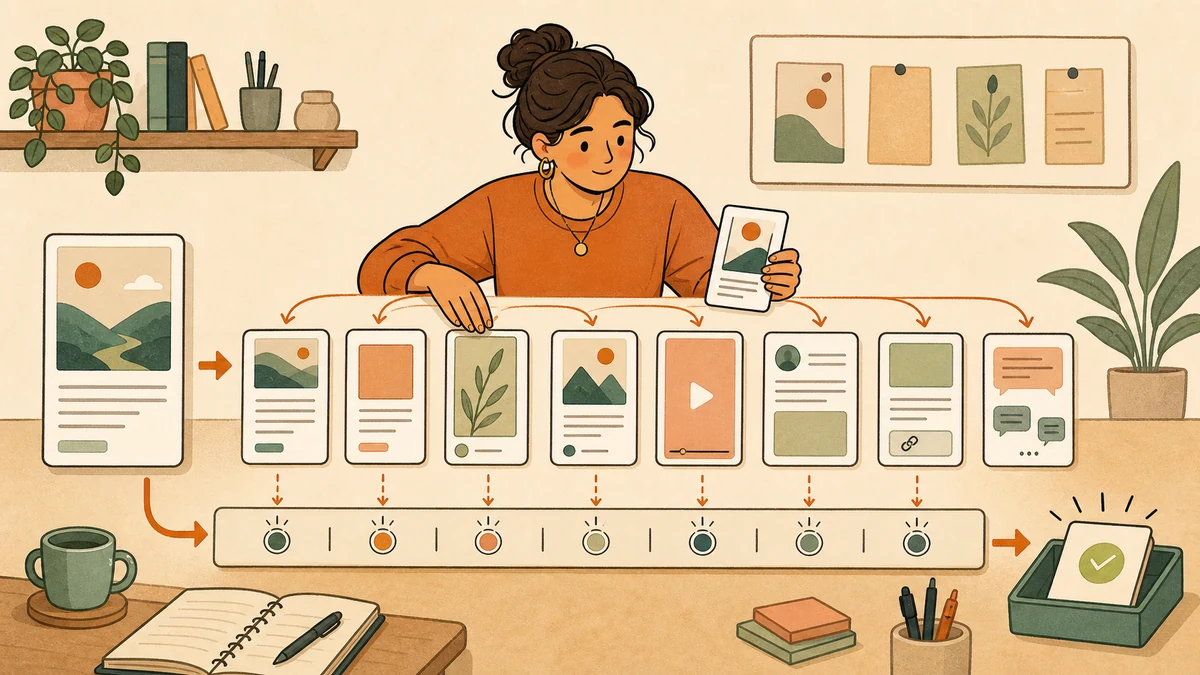
To schedule social media posts, prepare one complete source post, choose the accounts that fit it, adapt the copy and media for each destination, set the time and timezone, then verify both the queue and the live result. Native platform tools can handle this well for one or two networks. A multi-platform scheduler becomes useful when the repeated account switching, copying, adapting, and checking is the part slowing you down.
The goal is not to send one identical caption everywhere. It is to keep one source of truth while giving every selected network the version it needs. The workflow below works with native tools, a social media post scheduler, or a hybrid of both.
The short version
Prepare → choose → adapt → preview → schedule → verify. Do not call the work finished when the schedule button is clicked. It is finished when the correct version is live on the correct account, or a failed publication has a clear recovery path.
1. Prepare one complete source post
Start outside the network-specific composers. Write down the claim, proof or useful detail, link, media, and next action in one place. This is the source post. It should be complete enough that every later version can be checked against it.
Use the social media publishing checklist to confirm the account, copy, media, link, timing, and live result. Repeat those checks for every network version. No version may invent a result, change the number of checks, or imply that the checklist guarantees reach.
If any version includes video, check the social media video length limits before choosing a shared publishing time.
Source post record
- Audience: hands-on publishers who want fewer preventable posting mistakes.
- Promise: a practical check before and after each scheduled publication.
- Proof: the complete checklist is visible and usable without signup.
- Next action: open, copy, or use the checklist.
Asset record
- One landscape checklist preview.
- One portrait carousel version.
- One short vertical demonstration.
- One accurate page URL and link-card image.
- Alt text for every visual version.
2. Choose networks before adapting anything
Do not create eight versions merely because eight accounts are connected. Select a network only when the audience is relevant, the post has a sensible native shape there, and someone can check the result after publication. A smaller complete set is better than a large queue of weak duplicates.
If several profiles belong to different brands or clients, first build a clear account map. The multiple-account workflow separates brands, owners, access, and naming so the scheduling process does not solve one problem by creating wrong-account risk.
3. Adapt the sample post across all eight networks
The table below keeps the checklist promise fixed while changing the opening, format, media, and final check. Treat it as a transformation record, not copy to paste without judgment.
| Network | Adapted version | Media treatment | Final check |
|---|---|---|---|
| Open with the practical problem, summarize the six-point preflight, and link to the complete checklist. | Landscape checklist preview or a short demonstration video. | Page, link preview, audience setting, media, and scheduled time. | |
| Lead with the preventable mistake, turn the checks into a saveable caption or carousel, and use a native next action. | Portrait carousel or vertical demonstration with readable visual hierarchy. | Professional account, cover or first slide, caption, media order, and native finishing details. | |
| X | Use one direct sentence about the problem, name the most useful check, and point to the complete resource. | Optional landscape image that supports the point without repeating it. | Account, opening sentence, link, media crop, and scheduled post. |
| YouTube | Turn the checklist into a short walkthrough with a searchable title and a description that links to the full version. | A useful video or Short, not a static caption forced into a video destination. | Channel, title, description, audience and visibility settings, processing state, timezone, and publish time. |
| TikTok | Start with one visible publishing mistake, demonstrate the check quickly, and end with the next action. | Vertical video prepared for the selected account and posting method. | Account eligibility, creator settings, sound or disclosure choices, cover, caption, visibility, and processing state. |
| Frame the checklist as an operating lesson, explain why one verification step matters, and give readers the complete resource. | Text with a useful image, document, or video when the asset adds evidence. | Profile or Page, opening lines, link, media, unsupported scheduled-post types, and publish time. | |
| Threads | Use a conversational opener, share two concrete checks, and invite readers to name the mistake they see most often. | Text, image, video, or carousel selected for the actual conversation. | Profile, post format, reply settings, link attachment, media, and queued destination. |
| Bluesky | Keep the post compact, state the useful check early, and attach the full resource as a clear link card when appropriate. | Short text with an image or website card that still makes sense on its own. | Account, concise copy, link or media embed, alt text, and scheduled destination. |
This is the difference between scheduling and blind cross-posting. Scheduling controls when the post goes live. Adaptation controls whether the post makes sense when it gets there. If you need a deeper source-to-network framework, use the eight-network content repurposing matrix.
4. Preview copy, media, links, and account settings
Preview each version as a destination post, not as a row in a planning document. Read the opening in context. Check line breaks, media order, crop, link, alt text, visibility, and any account-specific setting. A preview cannot prove that a platform will accept the post, but it catches many mistakes before the queue owns them.
Use Donivo's free social media post preview when you want to compare the copy shape before connecting an account. The preview is a preparation aid. Always treat the live platform as the final rendering authority.
5. Connect accounts without sharing social passwords
A supported scheduler should send you through the network's authorization flow so you approve access on the platform side. Donivo uses OAuth connections and does not receive your social network password. Check the profile or Page name after every connection, then keep separate brands or clients in clear workspaces.
Reconnecting an account is a maintenance task, not a reason to bypass the platform's security flow. If authorization expires or access changes, reconnect through the official path and recheck affected scheduled posts.
6. Set the date, time, and timezone
Choose the time because it fits the campaign, the audience, or the team's ability to verify the result. Do not treat a generic “best time” as a guarantee. Donivo's best-time guides can give you a starting hypothesis, but your own audience and publishing context still decide the experiment.
Timezone preflight
- Confirm the timezone displayed by the scheduler.
- Check daylight-saving changes for posts scheduled far ahead.
- Keep launches, live events, and embargoes in one named reference timezone.
- Leave enough time to fix a rejected media upload before the post matters.
7. Schedule the post and verify every destination
In Donivo, the composer keeps content, connected accounts, platform settings, and schedule controls in one place. Select the intended accounts, tailor the versions, turn on scheduling, choose the date and time, and submit the post. Then open the queue and confirm that every selected account is present with the correct status.
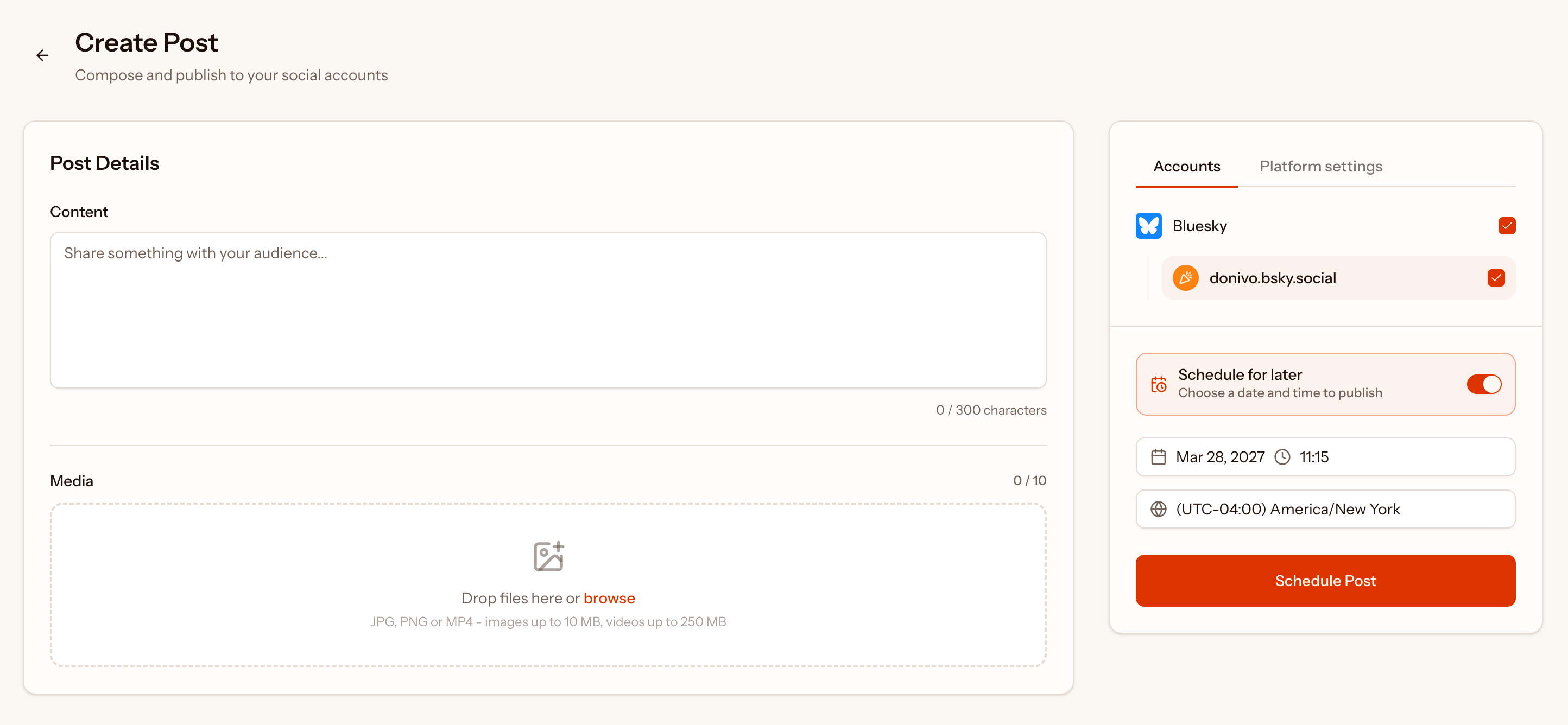
Do not infer success from the button press alone. Confirm that the scheduled item appears for the intended account, at the intended time, in the intended timezone. If several versions belong to one campaign, record which destinations are ready and which still require native finishing work.
8. Check the live result and recover from failures
Platforms can reject media, revoke access, delay processing, or return an incomplete result. Donivo automatically retries failed publications and alerts you when a post still needs attention. That reduces repeated checking, but it does not remove the publisher's responsibility to inspect important live posts.
Before the scheduled time
Confirm the queue, accounts, copy, media, time, and timezone. Resolve disconnected accounts early.
After the scheduled time
Check the publication status and inspect the live post when its timing or formatting matters.
When a post fails
Read the failure detail, correct the account or media issue, retry deliberately, and verify the result.
Native scheduling or one multi-platform workflow?
Native tools are often free and give you the closest access to network-specific formats and settings. A consolidated scheduler reduces repeated setup when one source post needs several destination versions. Many publishers use a hybrid: schedule the standard set centrally and finish a native-only format inside its platform.
| Situation | Better starting point | Why |
|---|---|---|
| One active network | Native scheduling | There is little repeated cross-network work to centralize. |
| One campaign across several networks | Multi-platform scheduling | One source, separate adaptations, shared timing, and one failure view reduce duplicate setup. |
| A network-specific format or finishing step | Hybrid workflow | Centralize the standard versions and complete the special case natively. |
| Enterprise listening, inboxes, or approvals | A broader suite | A focused publisher such as Donivo does not replace those advanced jobs. |
Check current platform instructions before you schedule
Native interfaces, eligibility rules, supported formats, and API behavior change. The official references below were checked on August 2, 2026. Use them when a current platform detail affects your post.
A reusable scheduling checklist
- Write and lock the source claim.
- Select only the relevant accounts.
- Adapt the hook, copy, media, and next action.
- Preview every version and link.
- Confirm account authorization and destination.
- Set the date, time, and timezone.
- Verify every item in the scheduled queue.
- Check the live result and resolve failures.
For the broader category, including what scheduling does and does not automate, read the complete social media scheduling guide. When you are ready to act, keep the source post, eight destination versions, queue checks, and recovery path in one repeatable workflow.