How to Repurpose Content for Social Media Workflow
·Updated ·15 min read

To repurpose content for social media, start with one useful source and turn its strongest ideas into platform-native posts. Keep the meaning, evidence, and important caveats stable while changing the hook, format, pacing, visual treatment, call to action, and publishing time. The goal is a useful set of destinations, not the same caption wearing different platform logos.
This workflow works for a blog post, webinar, podcast, video, presentation, tutorial, research note, or detailed answer to a customer question. You do the deep thinking once, then decide which parts deserve another format and which parts should stay in the original source.
Why Repurposing Beats Creating From Scratch Every Time
A strong source asset usually contains more than one social idea. A detailed article may include a framework, a warning, an example, and a clear next step. A recorded tutorial may contain several teachable moments, each capable of becoming a short video, a text post, a carousel, or a discussion prompt.
The common mistake is treating publication as the finish line. A blog goes live, one announcement appears on LinkedIn, and the team moves on to the next blank page. That approach makes social media depend on a continuous supply of new ideas even when the existing content library already contains material people have not seen.
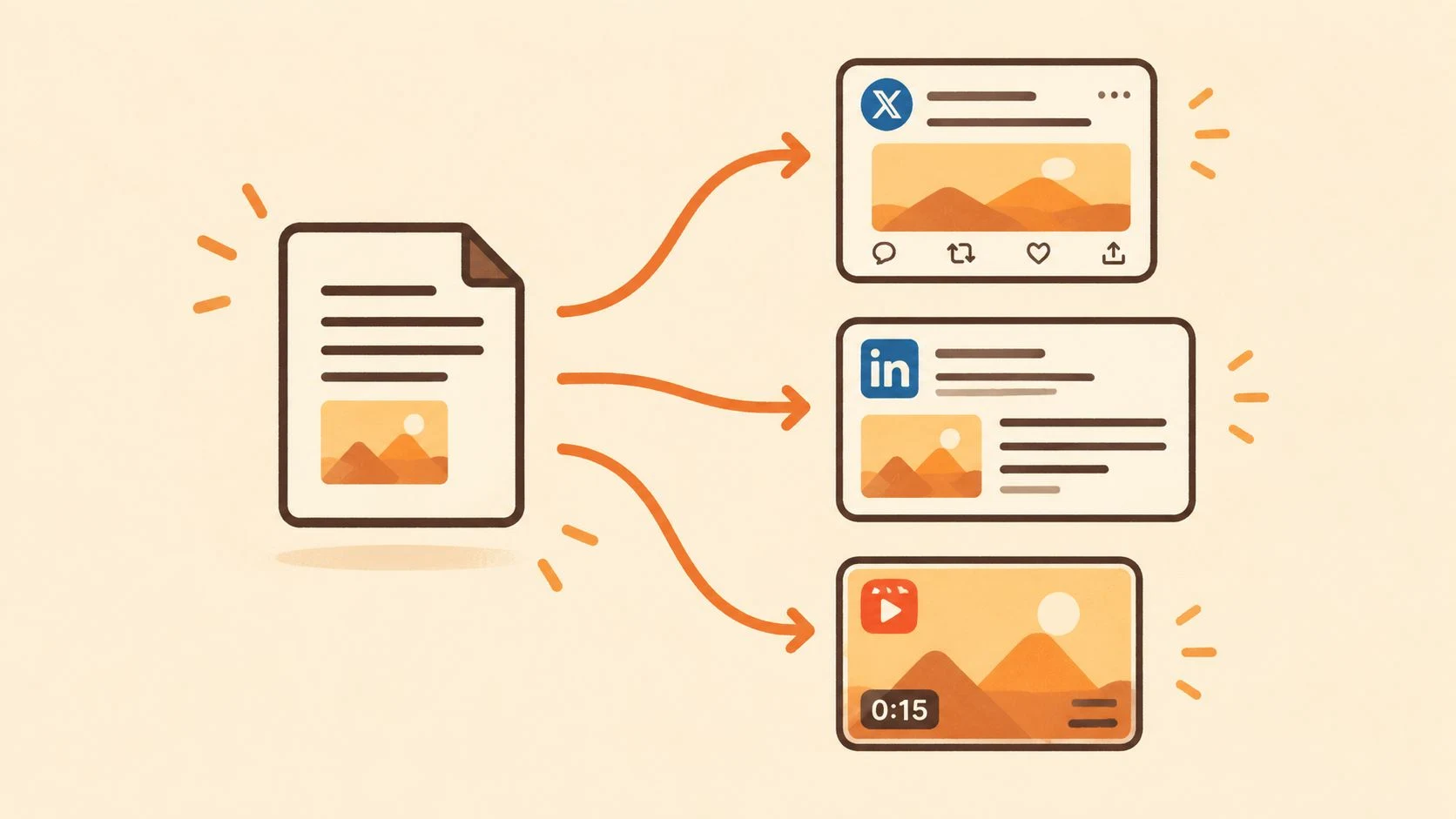
Repurposing changes the job from invention to distribution. An internal analysis published by NP Digital reported that brands repurposing content averaged 114,907 monthly social media views compared with 45,516 for brands relying only on original content, a reported 152% lift in visibility. The sample covered 258 brands with 50,000 to 100,000 followers over six months, so treat it as a benchmark, not a promise. Read the full NP Digital repurposing benchmark.
Adaptation is the point
Repurposing is not identical cross-posting. Cross-posting can move an asset from one network to another with little change. Repurposing keeps the central insight but changes the opening, format, pacing, visual treatment, length, and reader action so the destination has a reason to exist.
A HubSpot marketing benchmark reports that 48% of marketers share similar or repurposed content across platforms with minor adaptations, while 34% create unique content for each platform and 17% post the same content without adaptation. The split suggests a practical middle ground: you do not need a completely new concept for every feed, but you do need to respect how people consume content on each network. See the HubSpot marketing statistics page for the benchmark.
If the difference between copying and adapting still feels unclear, read Donivo's guide to cross-posting and repurposing.
Academic work also treats content recycling as an established practice, describing it as resharing older firm-generated posts as new ones. A 2022 study found that recycled posts can receive less engagement than fresh posts when the content feels less curious or relevant. That is a useful warning: reuse should add a new entry point rather than simply repeat the same asset. Read the SSRN research paper on content recycling.
A separate practical repurposing example shows how one 45-minute recording produced 8 to 12 short video clips alongside LinkedIn posts, quote graphics, carousels, and other assets. The range is a planning example, not a guaranteed output from every blog post. Use it to ask how many distinct ideas your source can support. The practical format-repurposing example shows the source-to-output model.
Start with existing winners, especially assets that answer a recurring customer question or teach a durable process. For additional format ideas, browse these content repurposing strategies. If the source needs a fresh angle before drafting, use Donivo's social media post ideas.
How to Audit Existing Content and Choose What to Repurpose
Do not open Canva first. The fastest repurposing workflows begin with a decision about which asset deserves adaptation and which one should be updated or retired.
Create a simple audit sheet for your content library. Record the source title, original format, audience problem, performance signals, freshness risk, and possible social formats. You are not trying to evaluate every piece perfectly. You are trying to identify one source with enough substance and relevance to support several distinct posts.
Score the source before you reshape it
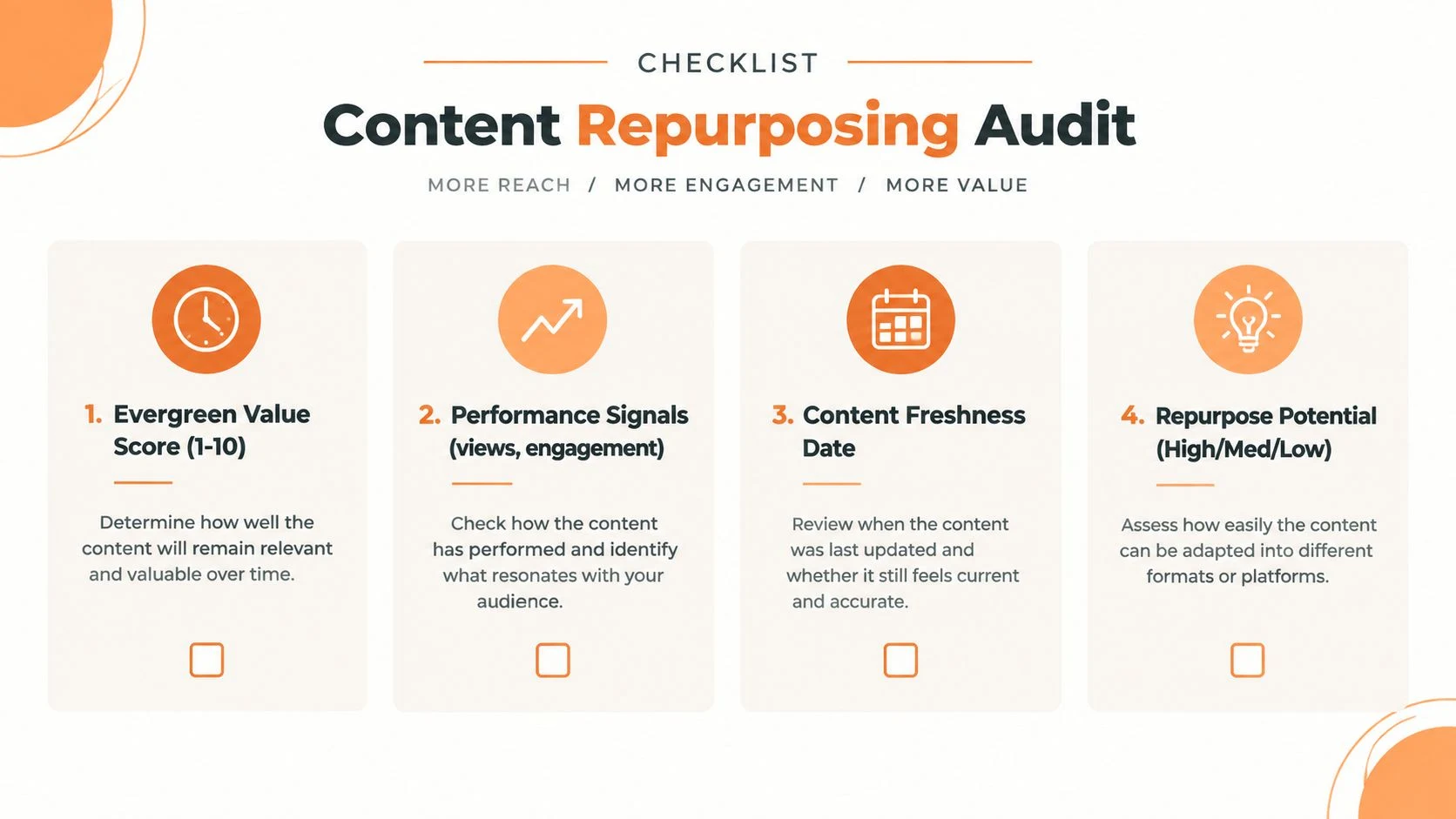
Use four practical checks:
- Evergreen value: Can the central lesson still help the audience after the original publication context disappears? A durable process, explanation, or checklist usually has stronger reuse potential than a temporary announcement.
- Performance signals: Look beyond one metric. Review views, comments, saves, shares, clicks, replies, and the quality of questions people asked. An asset with modest reach but strong audience response may contain a better social idea than a widely viewed piece with little discussion.
- Freshness date: Check every statistic, product reference, platform instruction, screenshot, and recommendation. Social guidance changes quickly, and stale information can make a polished post misleading.
- Repurpose potential: Mark the asset high, medium, or low based on how many separate takeaways it contains. A narrow announcement may support a short campaign, while a tutorial can provide text, visual, and video material.
This audit prevents a common waste pattern. Teams spend time designing assets from a source that no longer reflects the product, audience, or current platform behavior. Guidance from Kaltura's content repurposing article also emphasizes checking freshness before reuse.
Extract the core, then make a keep decision
Choose one source asset and pull out three to five core takeaways. Each takeaway should express one complete idea, not a vague topic label. “Use better captions” is too broad. “Open with the audience problem before naming the solution” can become a post, slide, or video script.
Write each takeaway in a working document, then classify the source as keep, refresh, or retire. Keep an idea when it remains accurate, useful, and specific. Refresh it when the structure is valuable but details, examples, links, or claims need updating. Retire it when the advice depends on obsolete circumstances, no longer matches the offer, or cannot be corrected without rebuilding the source.
A refresh should happen before design work. Update the original source, mark the revised date internally, and extract the social ideas again. If you want another structured way to think through source selection and format conversion, see Tutorial AI's content repurposing guide.
Your audit is complete when you can answer three questions: What is still true? What needs attention? Which three to five ideas can stand alone? If you cannot answer them, the asset is not ready for repurposing.
Transforming One Asset Into Platform Ready Formats
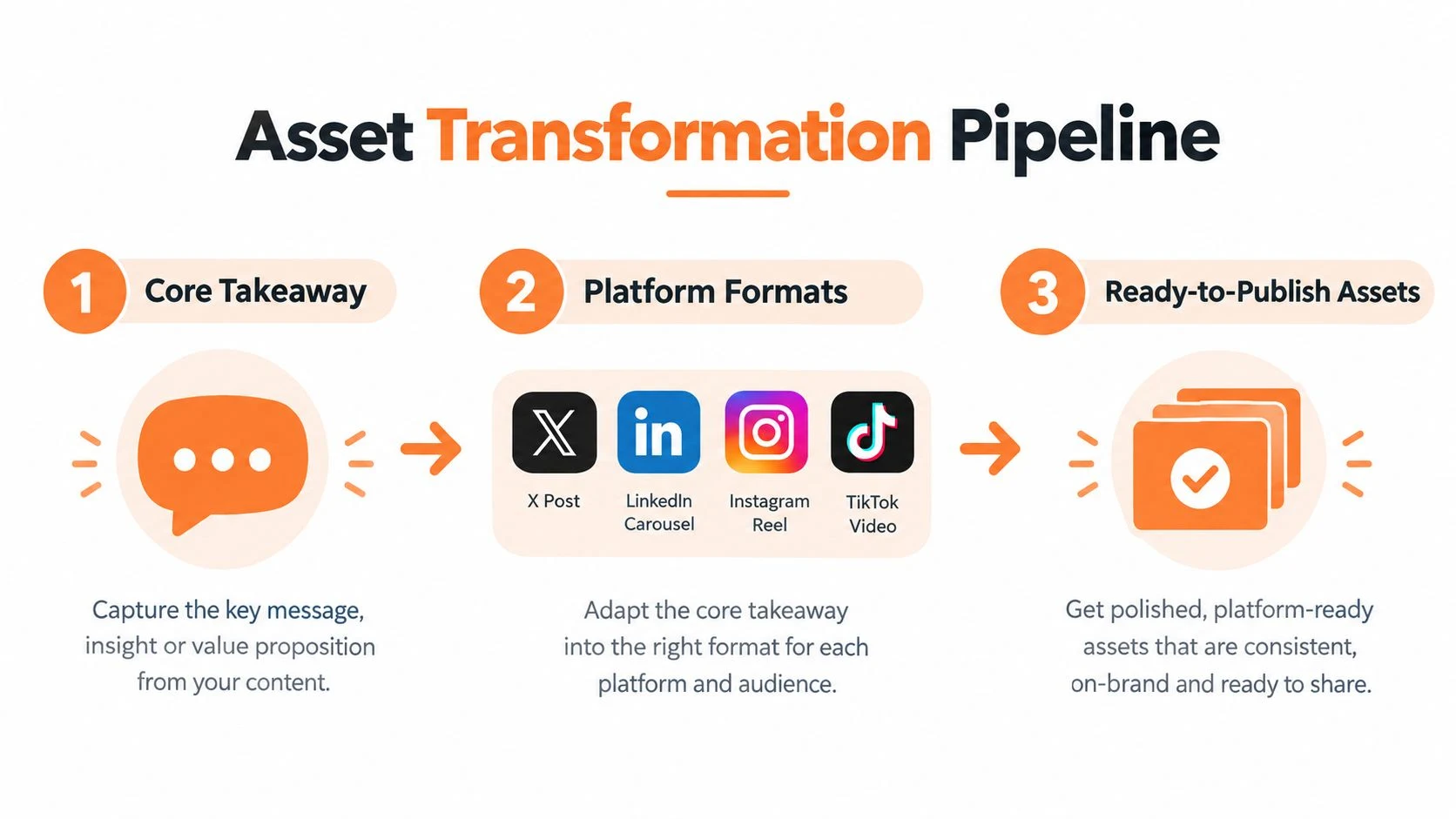
Once the takeaways are clear, give each one a job. Do not ask a single paragraph to become the same caption on every network. Ask which format makes the idea easiest to understand and which platform behavior supports that format.
Use a conversion menu
For each takeaway, choose one primary format and one supporting format:
- X or LinkedIn text post: Write a concise one to three sentence idea. X can favor a sharper observation or short sequence, while LinkedIn often benefits from context, a practical explanation, and a discussion prompt.
- Carousel: Build a six to twelve slide sequence. Use the first slide for the problem or promise, the middle slides for the logic, and the final slide for one action.
- Short-form video: Draft a 30 to 60 second script. Start with the tension, explain one useful point, then close with a next step or an invitation to read the full source.
- Threads or Bluesky post: Lead with the most conversational version of the idea. Use a short sequence when the takeaway needs progression, but do not force a thread when one clear post will do.
- Story or community prompt: Turn the takeaway into a question, poll, reply prompt, or behind-the-scenes explanation when conversation matters more than a click.
A blog section about caption writing, for example, could become a carousel about common opening mistakes, an X sequence showing one weak hook and one stronger alternative, a LinkedIn post explaining the reasoning, and a short video demonstrating the change aloud. The idea stays consistent, but the experience changes.
Batch the work by task
Context switching makes a small repurposing job feel endless. Extract all takeaways first, draft the text versions together, then build the visual assets, and finally record or edit video. One published workflow estimates 10 to 20 minutes for idea extraction and 30 to 50 minutes for asset creation. See the Content Beast repurposing workflow for that time-boxed approach.
The time box creates a finish line. You do not need to perfect every possible derivative. Select the formats your audience already uses and produce a focused batch.
A repurposed asset should feel newly packaged, not incompletely copied.
Keep a source-of-truth document with the approved takeaway, supporting detail, destination link, and call to action. This reduces accidental contradictions when several people turn one source into different formats. Compare each export with the platform's native requirements instead of assuming one file will work everywhere. Donivo's image sizes tool can support that sizing check, while an Instagram Reels download utility may help when reviewing or organizing existing short-form references.
Eight-Network Transformation Matrix
Use this matrix as a transformation brief, not as a promise that one format will always perform better. Choose the rows that fit your audience and source, then change the hook, copy shape, visual, length, call to action, and sequence for that network. The network names link to current first-party format guidance reviewed on September 8, 2026.
| Network | Hook | Copy shape | Visual | Length | CTA | Sequence |
|---|---|---|---|---|---|---|
| Lead with the practical outcome for a familiar community. | Short summary with enough context to stand alone and one direct question. | A useful image, simple demonstration, or short video excerpt. | Medium: explain the takeaway without reproducing the source. | Ask for an experience or point to the complete guide. | Early: establish the broad, practical version of the idea. | |
| Open with the problem, result, or most visual transformation. | Carousel narrative or short video supported by a concise caption. | A step sequence, before-and-after, or vertical demonstration. | Visual first: one clear point per frame or scene. | Invite the reader to save the process or try one step. | Second wave: turn the central lesson into a visual asset. | |
| X | State the sharpest claim or useful tension immediately. | One complete post or a short thread where every reply advances the idea. | Optional proof image, compact diagram, or focused video clip. | Tight: one claim and one supporting detail at a time. | Point to the source or invite a specific counterexample. | Early: test the strongest claim before expanding it elsewhere. |
| YouTube | Promise one visible result or answer one focused question. | A Short that teaches one moment, or a fuller video built from the source outline. | Vertical demonstration, narrated example, or edited source clip. | One lesson per Short; preserve the fuller argument for long video. | Watch the full explanation or apply the demonstrated step. | Follow-up: deepen a lesson after the core idea is established. |
| TikTok | Show the problem or first action before explaining the background. | Fast demonstration, narrated example, or short before-and-after story. | Vertical action with the important change visible on screen. | Focused: remove every part that does not support the single lesson. | Try the step, answer the prompt, or continue to the source. | Second wave: demonstrate what the text versions only described. |
| Frame the idea as a decision, lesson, or useful work tradeoff. | A self-contained case note: context, decision, reasoning, and takeaway. | A process diagram, document, or source image that adds information. | Medium: enough detail to make the professional lesson credible. | Ask how others handle the tradeoff or link to the full method. | Early: publish the reasoning-led version near the source launch. | |
| Threads | Turn the source tension into a conversational observation. | Concise post followed by replies only when each adds a useful layer. | A supporting photo, short clip, or no media when the thought is enough. | Brief and conversational without stripping away the caveat. | Invite a real example, disagreement, or practical addition. | Middle: open the discussion after the main claim is public. |
| Bluesky | Use the clearest plain-language insight from the source. | Compact standalone post, small thread, or link card with useful context. | One focused image, a small image set, or a descriptive link preview. | Compact: keep the claim understandable without unexplained shorthand. | Read the source, add an example, or follow the short thread. | Follow-up: resurface a durable insight with a fresh entry point. |
The matrix does not tell you to force every source into every format. It gives each destination a clear job and keeps the choice tied to the source, audience, and production time you actually have.
Optimizing Formats Timing and Captions for Each Platform
A repurposed post can contain the right idea and still fail the handoff because the crop is wrong, the opening is flat, or the timing ignores the audience's local routine. Optimization is where a source asset becomes a platform-ready publication.
Start with the visual. The current Hootsuite image-size guide lists 1080 × 1350 pixels for vertical Instagram feed posts, 1080 × 1080 for square posts, and 1080 × 1920 for full-screen formats. The Sprout Social image-size guide lists X at 1600 × 900, LinkedIn at 1200 × 627, and TikTok at 1080 × 1920, alongside Instagram's square and vertical options.
| Platform | Recommended size | Best use |
|---|---|---|
| 1080 × 1080 or 1080 × 1350 px | Square feed post or vertical carousel | |
| X | 1600 × 900 px | Link card, visual post, or text-supported graphic |
| 1200 × 627 px | Professional insight, document preview, or link creative | |
| TikTok | 1080 × 1920 px | Full-screen short-form video |
| Threads | Adapt the source to a readable feed visual | Conversation-led text and supporting media |
| Bluesky | Adapt the source to a readable feed visual | Text-led discussion with a clear visual companion |
The table is a production guide, not a reason to create every format. Resize the same visual, then inspect the safe area, text size, subject placement, and thumbnail. A carousel that reads well on a vertical Instagram canvas may feel cramped in a LinkedIn preview. A wide image may work on X but lose its subject in a full-screen video crop.
Rewrite the wrapper, not the lesson
The caption should change even when the takeaway does not. On LinkedIn, explain the professional context and invite a considered response. On X, make the first sentence carry more tension and remove unnecessary setup. On Threads, write as if opening a conversation. On Bluesky, keep the language direct and give people a reason to reply or add their own experience.
Use one call to action per post. A blog-derived carousel might ask for a save, while the LinkedIn version points to the full article. A short video can invite a comment rather than sending viewers away immediately. Hashtags should support the topic, not replace a clear opening.
Timing deserves testing rather than superstition. A 2026 cross-platform study reported 20:00 UTC as its strongest single posting hour, with a 121% uplift above the per-creator normalized average in its sample. See the SocialCrawl timing study. Other 2026 summaries converge on Tuesday through Thursday, from 9 a.m. to 1 p.m. local time, as a useful default. Use the SocialPilot posting-time guide as another starting point, then compare each platform's results with its own averages.
Scheduling Publishing and Automating Your Repurposing Workflow
The final operational risk is assuming scheduled means finished. A post can sit in the wrong queue, display a broken crop, publish with the wrong link, or fail without anyone noticing. A dependable workflow includes a review before scheduling and a verification step after publication.
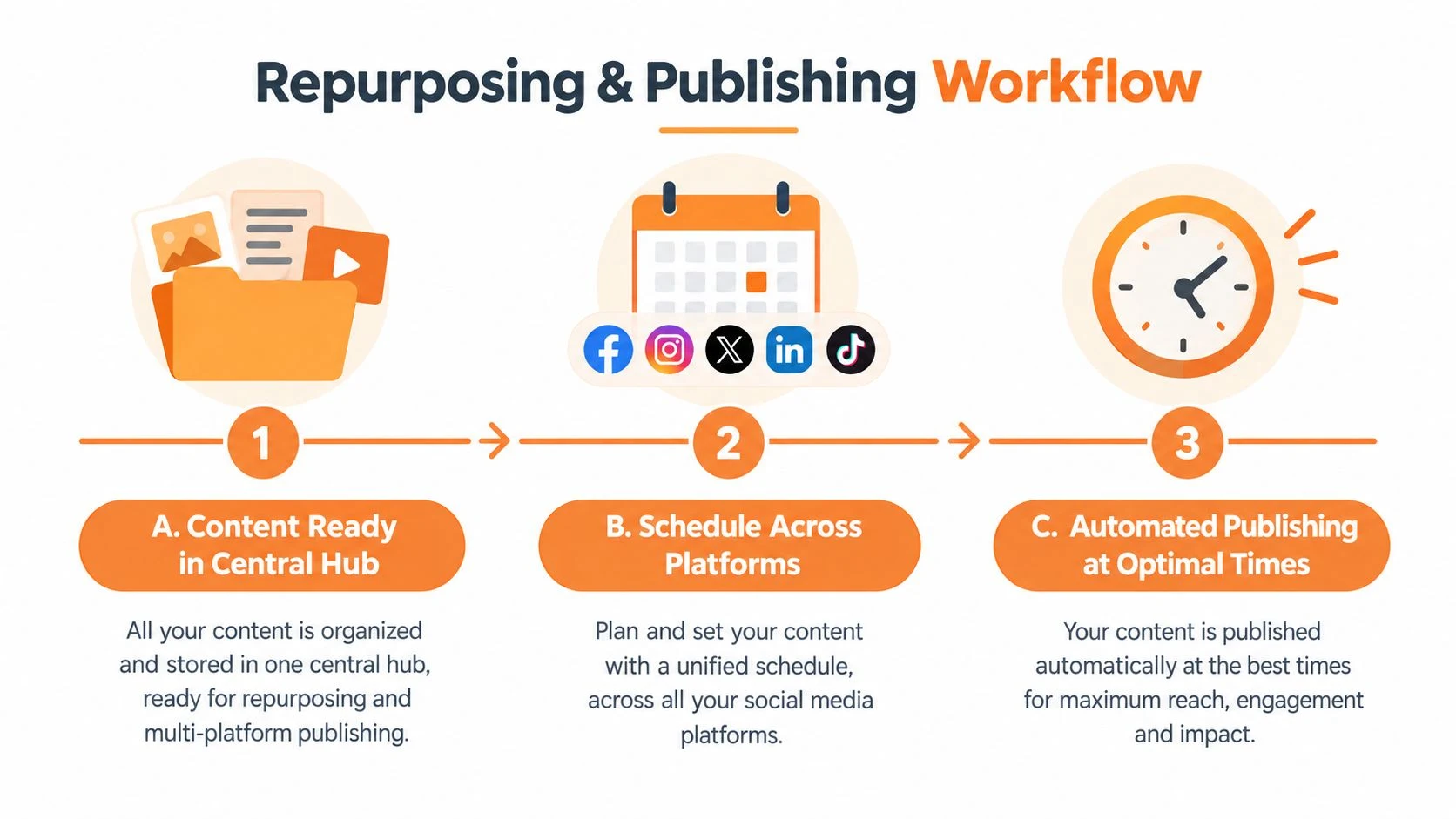
Use a connect, create, schedule flow
Connect the accounts you actively manage, then create the platform variants from the approved source document. Attach the correct crop or video to each version, add the destination link and tracking parameters where needed, and preview the post before assigning a time.
A centralized composer can publish across Facebook, Instagram, X, LinkedIn, TikTok, YouTube, Threads, and Bluesky. Donivo provides that type of centralized publishing, along with queue and calendar scheduling, platform-aware image and video attachments, automatic retry for failed publishes, and email notifications. The broader social media scheduling workflow helps organize queues and calendars. The social media scheduling guide covers connecting accounts, preparing content, and checking scheduled output.
Build a queue that leaves room for judgment
Assign each derivative a role in the publishing sequence. The first post can introduce the source idea, the next can teach a specific takeaway, another can demonstrate it in video, and a later post can invite discussion or direct readers to the full asset. Do not release every version at once unless the content is time-sensitive.
Before you mark the batch complete, check:
- Account: Is the post attached to the intended profile or workspace?
- Format: Does the preview show the correct crop, thumbnail, and media?
- Caption: Does the opening sound native to that platform?
- Link: Does the destination work and include the intended tracking information?
- Timing: Does the scheduled slot match the audience's time zone and the test window?
- Queue: Is the post visible in the scheduled calendar or queue?
Free planning utilities can reduce the manual checks. A best time calculator can help establish test windows, a social post preview can reveal layout problems, and a UTM builder can keep links consistent. Automatic retries and email alerts are useful because they make a failed publish visible instead of leaving the team to discover it later.
Even with automation, review the live result after publication. A preview catches layout problems, but only the live post confirms that the network accepted the media, link, and formatting as intended. Platform-specific guidance is available for X, TikTok, Threads, and Bluesky.
Your Repurposing Checklist Templates and Next Steps
A weekly repurposing habit works best when the handoff is short and visible. Keep one checklist beside the content calendar, and use it for every source asset.
The weekly checklist
- Select: Choose one relevant source with a clear audience problem and enough substance to support several useful ideas.
- Audit: Check evergreen value, performance signals, freshness, and reuse potential before opening a design tool.
- Extract: Write three to five core takeaways in plain language, with each takeaway expressing one complete idea.
- Decide: Mark each idea keep, refresh, or retire so outdated details do not spread into the new set.
- Transform: Assign each takeaway a format such as a text post, carousel, short video, story prompt, or discussion thread.
- Adapt: Rewrite the hook, caption, call to action, visual treatment, and context for every destination network.
- Resize: Export platform-appropriate versions and inspect the crop, safe area, thumbnail, text size, and media.
- Schedule: Place the approved variants into a queue or calendar with deliberate spacing and a clear publishing role for each one.
- Verify: Check the live result after publishing, then compare each version with that platform’s own performance averages.
Do not reuse stale statistics or outdated platform advice without review. Do not publish one identical caption everywhere. Before the next batch, test two headlines or thumbnails for a repurposed asset and evaluate each version against the relevant platform average rather than comparing it directly with the original long-form piece. The content repurposing statistics guide offers additional testing context.
For a reusable operating sheet, use Donivo's social media checklist to turn these decisions into a repeatable publishing routine. Start with one source this week, produce only the formats you can review properly, and let the performance data determine what deserves another adaptation.
Donivo gives creators and teams one place to connect accounts, adapt posts, schedule across major and emerging networks, and monitor publishing through retries and email alerts. Visit Donivo to organize your next source asset into platform-ready posts without copy-pasting one caption everywhere.