What Is Cross Posting and How to Do It Right
·Updated ·14 min read

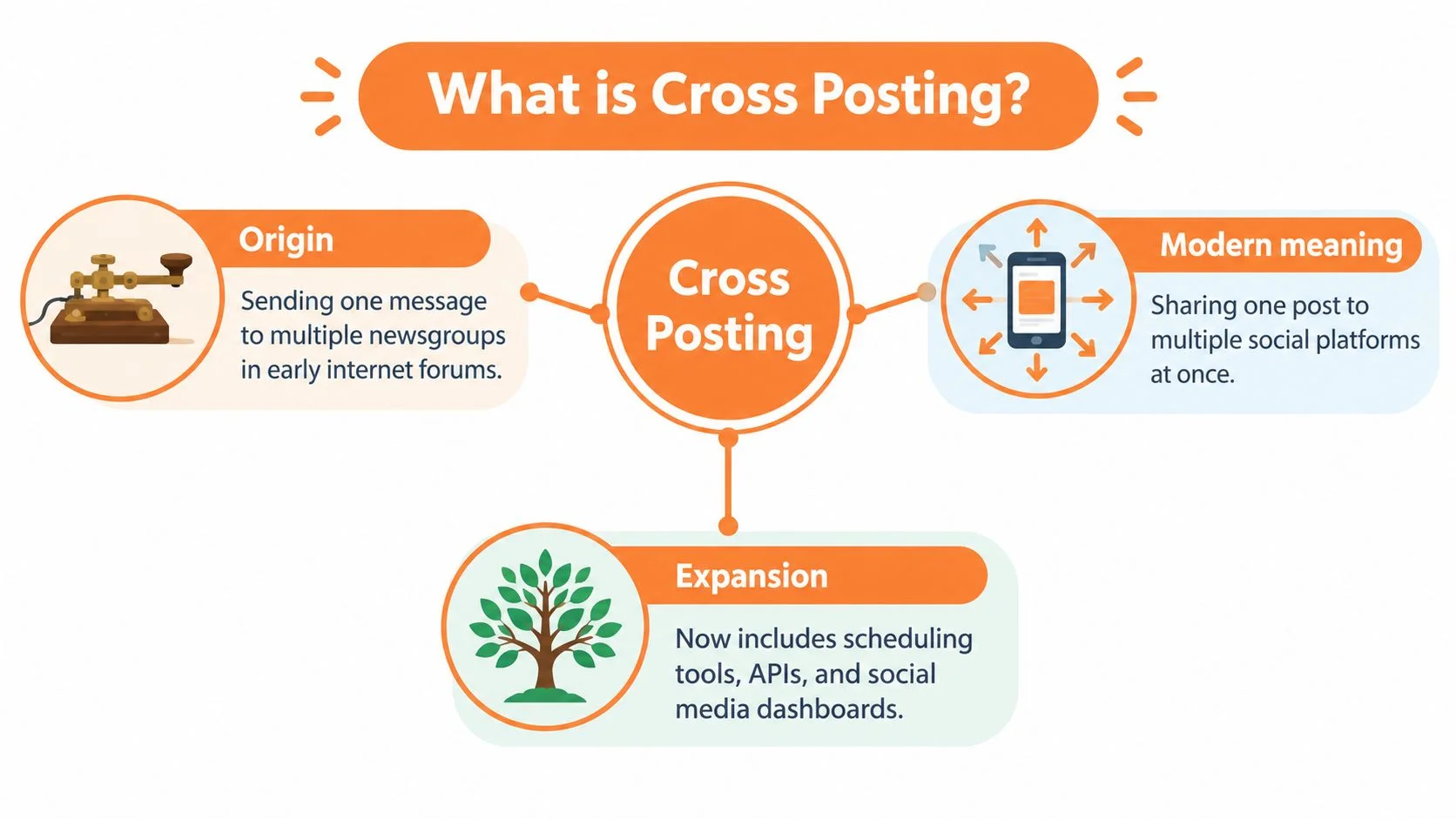
Cross-posting is publishing your own content across multiple owned social networks from one source, distinct from reposting someone else's content, and it works best as lightly adapted variants. The practice began as a way to send one message to multiple online communities, and today it helps creators and teams distribute a single core idea without rebuilding every post from scratch.
You've probably done a version of it already. You write an announcement, then open Instagram, LinkedIn, Facebook, X, TikTok, YouTube, Threads, and Bluesky one by one, rewriting the same update while trying to remember which image dimensions, caption style, and link format belongs where.
That process creates a useful question: what is cross posting when it's done well? It isn't pressing “publish everywhere.” It's a publishing workflow built around one source asset, several destinations, and a decision about what should stay consistent and what should change.
Introduction to Cross Posting in Modern Social Media
Cross-posting gives a solo creator, business, nonprofit, or agency one central message to work from. The same product announcement, tutorial, event reminder, or video can reach several audiences, while each network receives a version that suits its normal behavior.
The distinction matters because copying identical text into every platform isn't always efficient publishing. A LinkedIn audience may respond to a professional explanation, while an Instagram audience may need a stronger visual hook. A TikTok post often depends on the opening seconds of a video, while an X post has to make its point quickly.
Practical rule: Keep the idea consistent, not necessarily every word.
Cross-posting can reduce repetitive production work, but it also introduces responsibility. You need to know who owns the content, which accounts may publish it, whether the message needs approval, and whether the platform supports the action you're planning.
A useful cross-posting workflow answers four questions:
- What is the source asset? This might be a video, article, image, announcement, or short observation.
- Which accounts should receive it? Not every network needs every message.
- What needs adaptation? Captions, media shape, calls to action, hashtags, and links may change.
- How will you verify publication? A scheduler can report success, but the live post still deserves a check.
The approach suits individuals who manage several channels, growing teams that need a shared calendar, and agencies handling multiple client workspaces. It's especially useful when people currently lose time switching between apps and recreating the same campaign details.
For a broader glossary of publishing terms, see Donivo's social media terms guide. The rest of this guide moves from the history and definition of cross-posting to its differences from reposting and syndication, then applies a practical duplicate-versus-localize framework to daily publishing.

What Cross Posting Means and Where It Came From
The word cross-posting predates modern social media. Dictionary records place the term's first use in 1990–95, while historical accounts trace the practice to Usenet communities in the 1980s and 1990s. On Usenet, one message could be distributed to multiple newsgroups through a single Newsgroups header, allowing one communication to appear in several relevant communities. (Dictionary.com records the term's early usage)
The technical setting has changed, but the operating idea has stayed remarkably stable:
- Create one original message.
- Identify multiple appropriate destinations.
- Distribute the message to those destinations.
- Adjust the message when the destination requires different context.
Modern social media expanded the definition. Cross-posting now usually means publishing the same information, or a lightly adapted version, across multiple social networks. A 2017 academic study defined it as publishing the same information in two or more online social networks, examining professional-user activity across Facebook, Twitter, and Google+. (The study is available through arXiv)
One source, several channel versions
Think of the source post as a master document. You don't want five unrelated documents that accidentally use different facts. You want one approved message, then copies that preserve its central point.
For example, a workshop announcement might have:
- A short, direct post for X.
- A discussion-led version for LinkedIn.
- A visual caption for Instagram.
- A spoken opening and on-screen text for TikTok.
- A video title and description for YouTube.
Those are still cross-posts because they originate from the same campaign idea and owned content. Adaptation doesn't cancel out cross-posting. It makes the distribution more useful.
This distinction also explains why cross-posting isn't a feature inside a scheduling tool. The tool can move content between destinations, but the publisher still decides whether each destination is suitable, whether the account has permission to publish, and whether the message needs review. Guidance for repurposing content into platform-ready versions is available in Donivo's content repurposing guide.
How Cross Posting Compares to Reposting and Syndication
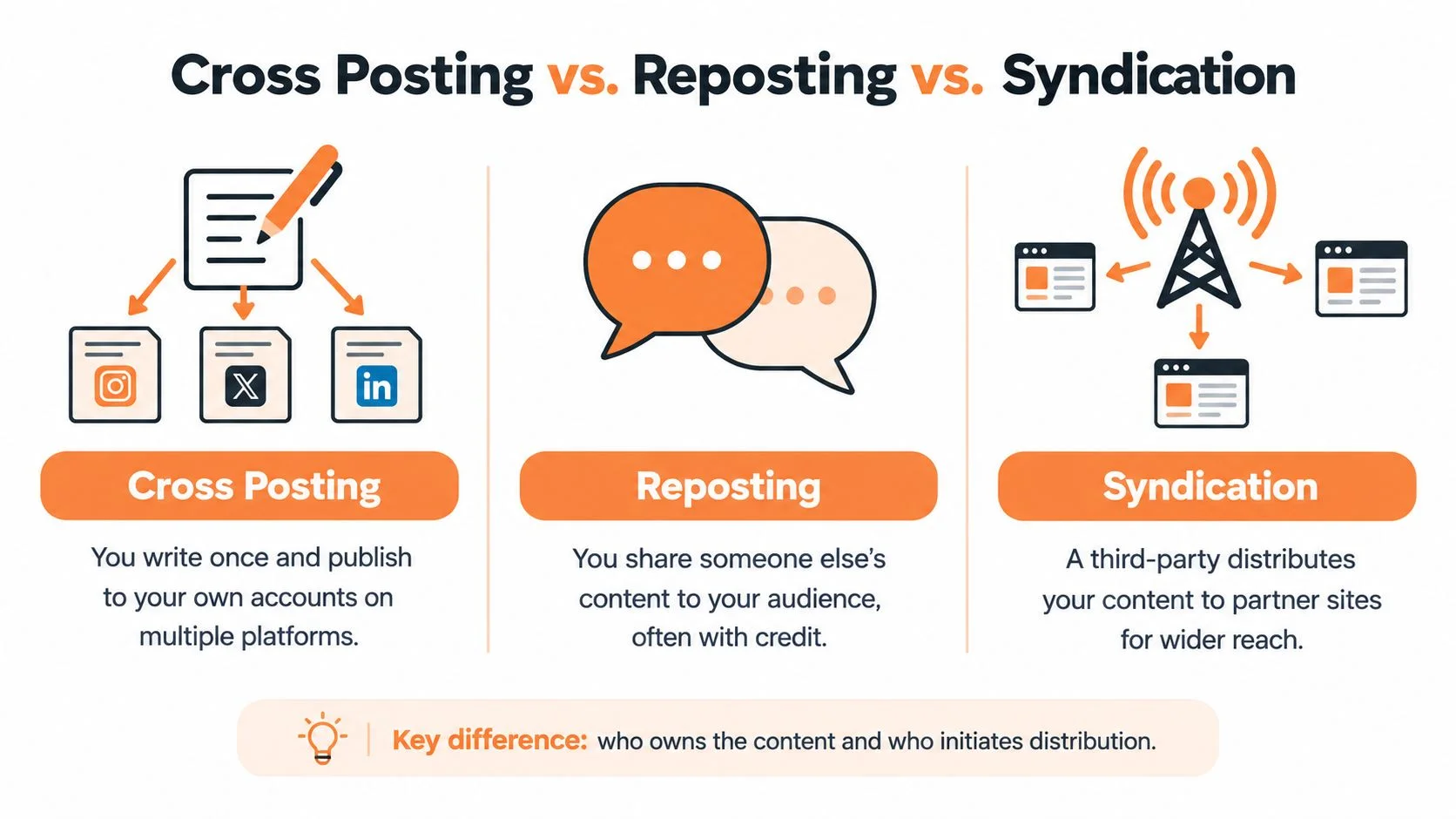
People often use “cross-posting” to describe several different distribution tasks. The easiest way to separate them is to ask who created or owns the content and who initiates the distribution.
| Method | Content ownership | Distribution path | Typical adaptation |
|---|---|---|---|
| Cross-posting | You or your organization owns the source content | Your content moves across your owned accounts | Light adaptation is usually useful |
| Reposting | Someone else usually created the content | You share it with your audience | Credit, permission, and context matter |
| Syndication | You own or license the content | A partner or third party republishes it | Format, attribution, and canonical handling may apply |
| Simultaneous publishing | You own the content | One publishing action targets multiple owned networks | Each platform still has its own rules |
Cross-posting versus reposting
If a bakery publishes its own seasonal menu on Instagram, Facebook, and LinkedIn, that's cross-posting. If the bakery shares a customer's recipe video, that's reposting, even if the bakery adds a short introduction.
The governance difference is important. Reposting may require permission, attribution, or a check that the original creator intended public sharing. Cross-posting starts with content your team has authority to distribute, but it still requires account-level approval and brand review.
Cross-posting versus syndication
Syndication usually involves another publisher distributing your article, video, or other content to its audience. That relationship may involve licensing, editorial conditions, attribution, or instructions about which version should be treated as the original.
A social scheduler publishing one campaign to your own Facebook, Instagram, X, LinkedIn, TikTok, YouTube, Threads, and Bluesky accounts is better described as simultaneous publishing across owned properties. In everyday conversation, people may call it cross-posting because the same core content reaches multiple networks.
Before scheduling, record the source owner, approved accounts, required credits, and any destination-specific edits. That small governance step prevents a team from treating an outside creator's post as if it were its own asset.
Benefits and Risks You Should Weigh Before You Publish
Cross-posting solves a real operational problem: one campaign often needs to appear in several places, but teams don't want to produce the same idea repeatedly. A shared source post can keep the central message, offer, date, or argument consistent while reducing setup work.
The distribution opportunity is broad. Modern workflows may include Facebook, Instagram, X, LinkedIn, TikTok, YouTube, Threads, and Bluesky, each with different audience expectations. Sprout Social's benchmark analysis, summarized in a 2026 industry article, reported an average of 9.5 social posts per day across networks, based on 3 billion messages from 1 million active public profiles. Its regional averages were 9.5 in North America, 12 in EMEA, and 20 in APAC. (The benchmark figures are summarized in this Sprout Social analysis)
Those figures describe the publishing environment rather than guaranteeing that a brand should post everywhere. More destinations create more opportunities, but they also create more places where a poor fit can weaken the message.
Where cross-posting helps
- Production efficiency: A team can approve one campaign concept and prepare destination versions from that source.
- Message consistency: Key facts, names, dates, and offers stay aligned across the accounts that matter.
- Broader discovery: People who don't follow one network may encounter the same campaign on another.
- Simpler collaboration: A shared source makes review easier for designers, writers, clients, and account managers.
Where it creates risk
Identical posts can perform worse than platform-adapted versions. One industry research summary warns that duplicate cross-platform posts can reduce reach and engagement, recommending changes to captions, hashtags, media format, and length. (The research summary discusses duplicate cross-platform content)
Format mismatch is one common cause. A caption that works beside a square product image may feel awkward beside a vertical video. A link-led update may suit LinkedIn but compete with the native viewing behavior of a short-form video network.
Context creates another risk. Facebook's official documentation for government and public-sector social media use says shared content should match the account's purpose and should not conflict with official policy or positions. (The public-sector policy document addresses acceptable cross-posting) New Zealand public-service guidance also says agency social content should have a clear business purpose and remain impartial, politically neutral, factual, and accurate. (New Zealand's official social media guidance sets these standards)
Read more about avoiding workflow and automation mistakes in Donivo's guide to social media automation risks.
Platform Aware Best Practices and Real Examples
Start with one source post, then make only the changes that help each audience understand and act. You don't need to rewrite the campaign from zero. You need to adapt the parts that depend on platform behavior.
Change the wrapper before changing the idea
Suppose the source message is: “Our team published a guide to planning a sustainable content calendar. Read it and download the worksheet.”
A LinkedIn version might open with the operational problem: “A content calendar fails when nobody knows who owns the next post.” It can explain the lesson, then invite professionals to read the guide.
An X version can reduce the setup to a sharp observation and a direct link. An Instagram version can place the main promise in the first caption line, use the image to carry context, and move the link instruction to the profile or an approved destination. A TikTok version might turn the lesson into a short demonstration with a spoken hook, captions, and a clear final action.
The idea remains intact. The opening, length, media treatment, and call to action change.
Use a destination check
Before scheduling each variant, review:
- Copy: Does the first line make sense without the context of another platform?
- Media: Does the image or video fit the destination's native presentation?
- Links: Will the link be visible and useful in that network's normal post format?
- Hashtags: Are they relevant to the specific audience rather than copied mechanically?
- Timing: Does the selected time fit the campaign's audience and account routine?
- Voice: Does the post sound like a native contribution instead of an export?
Donivo's image size cheat sheet and resizer can help you prepare media for different destinations. If you're evaluating broader assistance for drafting, resizing, or idea development, compare AI-powered social media tools with your approval and brand-governance needs.
Plan account limits before you queue
A scheduling system generally maps one publish action to one account per platform at a time. It doesn't mean one action can automatically publish the same post to every account you own on the same network. If a campaign needs several Facebook pages or multiple client accounts on one platform, plan separate publish actions or queue entries. (This platform limitation is documented in Post Bridge's scheduling guidance)
That rule affects campaign planning. Build a destination map before you press schedule, and preview every account-specific version instead of assuming a single global action will cover every property.
How to Implement Cross Posting Efficiently With Donivo
A practical scheduler workflow has three phases: connect, create, schedule. The point isn't to remove judgment. It's to keep account access, source content, adaptations, and publication status in one manageable process.
Connect the accounts
Connect the social accounts that have permission to publish for the person, brand, or client. Donivo uses OAuth for account connection, so passwords aren't stored by the platform. Check each connected account before building a campaign, especially when a workspace contains both personal and client properties.
Separate workspaces can also help teams keep content, approvals, and account limits organized. A personal workspace might contain creator accounts, while a team workspace can hold brand pages and shared publishing responsibilities.
Create one source post
Write the approved campaign message first. Attach the strongest available image or video, add the destination URL if needed, and identify the essential details, such as a launch date, product name, legal wording, or event location.
Then tailor the selected networks. Keep factual statements aligned, but change the opening, caption length, hashtag approach, media treatment, and call to action where the destination requires it. Donivo's centralized composer supports publishing across Facebook, Instagram, X, YouTube, TikTok, LinkedIn, Threads, and Bluesky from one interface, while platform-aware media handling helps match attachments to network requirements.
Schedule and verify
Choose instant publishing, a queue slot, or a calendar time for each prepared version. Review the preview before scheduling, then confirm both the queue entry and the live result after publication.
Operational safeguards matter because a scheduled post can fail for reasons unrelated to the copy. Donivo provides automatic retry on failed publishes and email notifications, giving the team a signal to investigate instead of assuming the post went live. Its planning utilities include a Best Time to Post tool, UTM Link Builder, Social Post Preview, Character Counter, Thread Splitter, and image-sizing resources.
For a network-specific example, Donivo's guide to scheduling Bluesky posts shows how an emerging channel can fit into a broader publishing workflow. The same verification habit applies everywhere: inspect the scheduled entry, confirm the platform accepted the publish, and check the public post for cropping, links, formatting, and account accuracy.
Final Takeaways and Your Next Publishing Workflow
Cross-posting is best understood as controlled reuse across owned channels. You create one source of truth, then decide whether each network should receive a duplicate, a localized version, or nothing at all.
Duplicate the post when the message is short, visual, time-sensitive, and clear without platform-specific context. Localize it when the audience, format, tone, link behavior, or native features change the way people will understand it. Skip the network when the account's purpose, audience, approval rules, or content rights don't support the publication.
Use this workflow for your next campaign:
- Prepare: Define the source asset and the facts that must remain unchanged.
- Choose accounts: Select only the owned channels with a clear reason to receive the message.
- Adapt: Adjust copy, media, links, hashtags, and calls to action for each destination.
- Preview: Check how every account-specific version will appear.
- Schedule: Map each publish action to the correct account and time.
- Verify: Confirm the queue, publication status, and live post.
Start with a small batch rather than automating an entire content calendar at once. Compare what happens when you duplicate a simple update, localize a complex one, or skip a poor-fit platform, then refine the workflow using live results and team experience instead of assumptions.
Donivo gives individuals and teams a centralized composer, queue and calendar scheduling, platform-aware media handling, workspaces, previews, and alerts for failed publishes. Visit Donivo to connect your accounts and build a cross-posting workflow that keeps one source message while giving each network the version it needs.