Social Media Management for Startups: A 45-Minute System for Founders and Lean Teams
·Updated ·18 min read

Social media management for startups works best as a small distribution system, not a second full-time job. Choose one primary channel, use one secondary channel only when the same idea can be adapted meaningfully, collect proof while building the company, and protect one 45-minute session each week to turn that proof into scheduled posts.
This guide is for founders and lean marketing teams balancing product, customers, and marketing at the same time. It gives you a channel-selection rule, a proof-based idea system, a 45-minute startup social media workflow, and a stop-doing list. It will not pretend that a posting schedule replaces customer conversations, community work, or a clear product.
The startup-sized rule
Maintain fewer channels than you could open. Publish fewer ideas than you could generate. Make every post traceable to something the startup has learned, built, changed, or observed.
Why startups need a social media operating system
Your startup's social feed usually does not fail because the ideas are bad. It fails because someone on the team is trying to ship product, answer customers, prepare a launch, and remember which draft belongs on LinkedIn versus Instagram, all before lunch. That is why social media management for startups has to work like a system, not a stream of random posts.
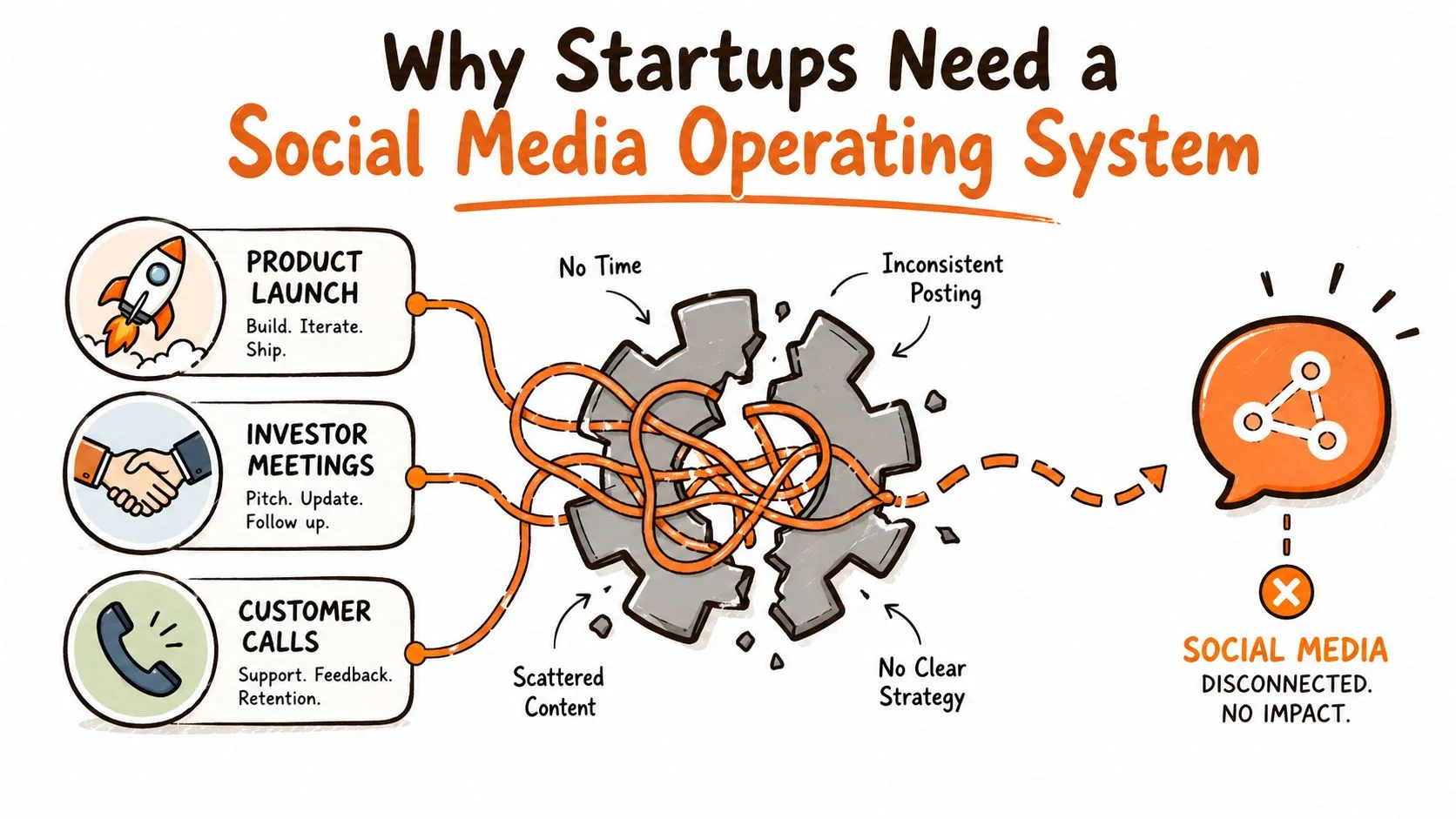
Treat social as infrastructure, not a side task
The baseline is obvious from older SMB behavior. A 2020 Yellow Pages survey found 90% of SMBs used Facebook, while only 36% had a strategic social media plan, and 79% managed social media internally (survey summary). That combination explains why so many teams end up posting reactively, without a calendar or a clear owner, even when they are active every day.
A newer survey summary points in the same direction. It reported that 99.5% of companies use LinkedIn, 72.4% use Instagram, and 69.4% use Facebook, while 56.1% handle social media through in-house marketing teams and 38.3% through founders or CEOs (survey summary). That is not a marketing side quest anymore. It is a shared operational load.
Practical rule: If founders are still approving posts in DMs and the team cannot tell what is scheduled next week, the workflow is the problem, not the content.
The operating-system mindset forces better questions. Where do ideas enter the pipeline? Who approves them? What happens when a post fails? The answer should be visible enough that someone new can take over without rebuilding the process from scratch. A useful reference point is a clean workflow framework like this social media management workflow guide, because the value is in reducing friction, not adding more tools.
If you want a fast way to improve execution, also look for practical publishing systems that enhance engagement with revid.ai by tightening creative cadence and post consistency. The point is not to chase tricks. It is to make publishing reliable enough that the team can focus on learning.
Start with one business job, not a posting quota
Before choosing a network or format, name what social media is supposed to help with this month. A useful job might be explaining an unfamiliar product, earning conversations with a narrow buyer group, documenting a launch, recruiting early users, or showing the expertise behind the company.
Keep that job close to the publishing workflow. A social media scheduler can handle repeated copying, timing, and cross-network publishing, but it cannot decide who a post is for or what it should achieve. Define the audience, business goal, and useful takeaway before opening the composer. That turns scheduling into execution instead of an endless queue built only to “be active on social.”
Choosing channels and setting a sustainable cadence
The biggest mistake is trying to give every network the same attention. That usually turns into shallow presence everywhere and real traction nowhere. A startup gets more benefit by choosing one primary channel, then supporting it with one or two secondary channels that reuse the same core message in a different format.
Channel choice should follow audience behavior, not internal preference. The verified data shows social usage is fragmented across platforms, and a typical user actively uses or visits an average of 6.84 platforms each month while 65.7% of the global population are active social media users (industry statistics). That fragmentation is exactly why “be everywhere” fails for lean teams. Attention is spread thin, so consistency matters more than volume.
For cadence, a practical startup benchmark is to treat one network as the main engine and keep the others lighter. A 2026 benchmark guide recommends about 3 to 5 posts per week on the primary platform and 1 to 3 posts per week on secondary platforms, with broader small-business guidance placing a sustainable cross-channel target at roughly 2 to 5 posts per week on key channels. That gives you room to stay visible without burning the team out.
Use the three-part channel-selection rule
A channel belongs in the startup's weekly system only when all three conditions are true. If one is missing, keep the account reserved if necessary, but do not promise it a publishing cadence yet.
| Test | Evidence to look for | If the evidence is weak |
|---|---|---|
| Audience fit | Customers, users, partners, or credible peers already use the channel for this problem. | Interview the audience before committing to a cadence. |
| Proof fit | The startup regularly produces questions, demos, decisions, or lessons worth sharing there. | Build a proof habit before building a content calendar. |
| Format fit | The responsible owner can produce the native format well enough without displacing core company work. | Choose a format closer to how the team already explains the product. |
Make the strongest channel the primary one. Add one redistribution channel only when a useful adaptation can come from the same source. Do not add a third active channel until the first two have survived four ordinary weeks, including a week when product work becomes messy.
Match cadence to the platform, not to habit
Use the table as a starting map, not a command to publish at maximum volume. The first four rows preserve the supplied benchmark guidance. The added YouTube, TikTok, Threads, and Bluesky ranges are conservative capacity-based starting points, not universal benchmarks.
| Platform | Cadence | Best for | Content type | Guidance |
|---|---|---|---|---|
| 2 to 5 per week | B2B reach, hiring, credibility | Thought leadership, product updates, founder insight | Supplied benchmark | |
| 3 to 5 per week | Visual brand building | Carousels, short videos, behind-the-scenes | Supplied benchmark | |
| X | 3 to 4 per day | Real-time conversation, community building | Commentary, threads, quick updates | Supplied benchmark |
| 1 to 2 per day | Community, broad distribution | Short updates, links, repurposed media | Supplied benchmark | |
| YouTube | 1 per week | Searchable education and product demonstrations | Walkthroughs, tutorials, Shorts | Capacity-based starter range |
| TikTok | 3 to 5 per week | Short-form discovery and demonstrations | Vertical videos, explainers, founder clips | Capacity-based starter range |
| Threads | 3 to 5 per week | Conversational community building | Short observations, replies, discussion starters | Capacity-based starter range |
| Bluesky | 3 to 5 per week | Niche conversation and community presence | Compact commentary, links, useful updates | Capacity-based starter range |
The reason this matrix works is simple. It keeps the primary channel active enough to build momentum while the support channels stay intentional. A SaaS startup might lean on LinkedIn for enterprise leads and use X for developer community presence. A consumer startup might flip that mix and use Instagram as the visual core.
For a broader posting framework, a practical guide on how often to post on social media helps teams avoid overcommitting. If the cadence is impossible to maintain for six weeks, it is too aggressive.
Building a content strategy and weekly calendar
A sustainable content system starts with one strong source idea, then adapts it instead of rebuilding it from zero for every channel. That is the difference between a repeatable pipeline and a constant scramble. The best teams do not ask, “What should we post today?” They ask, “What asset can become three or four useful posts this week?”
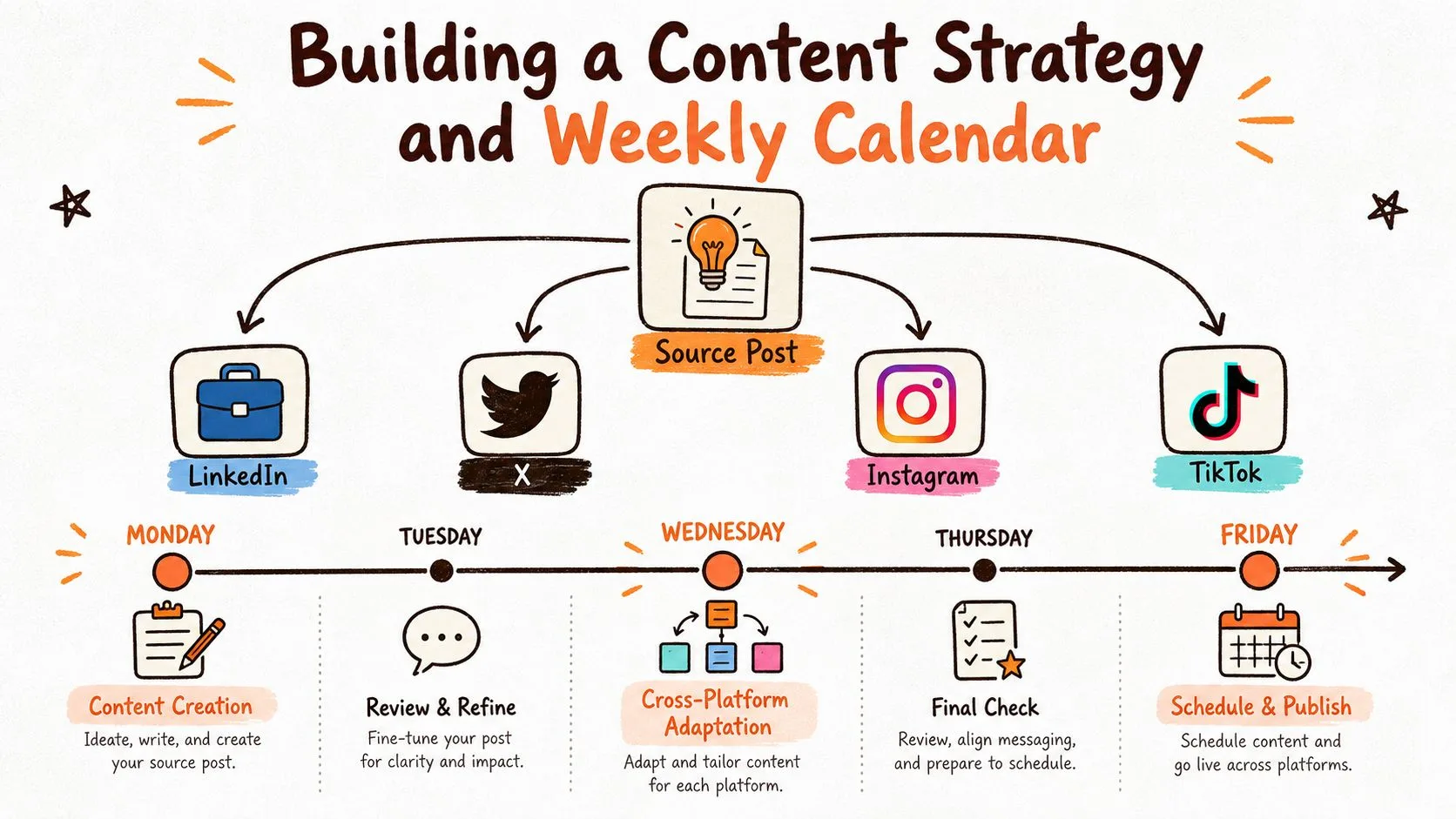
Build posts from startup proof, not a blank calendar
The content owner should not spend the weekly publishing session trying to invent expertise. Capture raw material during the work itself. Keep one plain note or inbox and add a short item whenever the company creates something worth explaining.
Customer questions
Explain a question that appeared in a call, support message, demo, or sales conversation.
Product changes
Show what changed, which problem prompted it, and what a user can do differently now.
Founder decisions
Share a trade-off, rejected option, or operating choice and the reasoning behind it.
Demonstrations
Turn a real workflow, before-and-after state, or product use into a concrete walkthrough.
Mistakes and corrections
Document what failed, what changed, and what another founder or customer can avoid.
Repeated patterns
Explain a pattern only after several examples make it more than a single anecdote.
For each captured item, save the proof, the audience who cares, and the next useful action. A screenshot, note, recording, customer-approved example, or working product demonstration is stronger raw material than a generic “five tips” prompt.
Build the week around one source post
A workable weekly sprint is straightforward. Monday is for research and drafting, Tuesday for adaptation, Wednesday for scheduling and approvals, Thursday for publishing, and Friday for engagement review and measurement. That sequence keeps the team from making platform-by-platform decisions in real time, which is where startups lose hours.
- Monday: capture the strongest proof and draft the source idea.
- Tuesday: adapt the source for the selected destinations.
- Wednesday: review approvals, links, media, and queue settings.
- Thursday: publish the approved versions and watch for exceptions.
- Friday: review engagement, conversations, and the next decision.
A single product update can become multiple assets without becoming repetitive. On LinkedIn, it can read like a short case study. On X, it can become a concise thread about the technical choice behind the update. On Instagram, it can turn into a carousel showing before-and-after results or a quick founder-style explanation.
Practical rule: Batch once, adapt once, schedule once. If every platform requires a fresh brain dump, the calendar is not a calendar; it is a to-do list.
Content pillars help the system stay balanced. Product updates, customer stories, industry insights, and team culture are usually enough for an early startup. The goal is not to invent endless categories. It is to stop the feed from becoming all launch posts or all promotional posts.
For a deeper planning structure, this social media content plan template can help teams lay out the calendar without overengineering it. If you are building short-form video into the mix, it is worth studying how to build a TikTok content system so your clips come from the same source material instead of a separate production track.
Keep a buffer for real startup life
A two-week content buffer matters more than many people realize. Product launches move. Founders travel. Support spikes. If the calendar has no cushion, one busy week can wipe out the next ten days of publishing. Batching content in focused sessions also makes it easier to preserve voice across networks, because you are editing from one core message instead of improvising under pressure.
The 45-minute weekly startup social media workflow
Put the session on the calendar once. The times below are boundaries, not productivity claims. Their purpose is to force a startup-sized scope and leave the rest of the week for customer and product work.
| Time box | Work | Done means |
|---|---|---|
| 5 minutes | Review the proof inbox and choose one idea tied to the current business job. | One claim, one audience, and one intended next action are written down. |
| 20 minutes | Create the complete source post for the primary channel. | The proof, explanation, and call to action can stand on their own. |
| 5 minutes | Adapt the source for one secondary channel. | The claim is unchanged, but the hook, length, media, or next action fits the destination. |
| 10 minutes | Schedule the posts and run the preflight. | Account, copy, media, link, time, and timezone are checked in the intended queues. |
| 5 minutes | Record the next question and close the session. | One observation is ready for the next proof inbox, with no open-ended feed browsing. |
Use one source post, then adapt deliberately
The source post is the clearest version of the idea, not a universal caption. Write it for the primary channel first. When moving it to the second channel, protect the truth of the claim and change only what the destination or audience requires.
- Change the opening when the audience arrives with a different level of context.
- Shorten the explanation when the destination rewards a tighter format, but keep the evidence.
- Replace a product screenshot with a demonstration or plain text when the format calls for it.
- Change the call to action when one audience needs a reply and another needs the full guide or product page.
If several accounts represent separate products, founders, or audiences, use the multiple-account workspace system before combining everything into one queue. It keeps account ownership and brand context separate from this weekly content routine.
Scheduling workflows that survive real startup life
Scheduling is where strategy becomes operational. A good queue is not just a place to store drafts. It is the control layer that keeps accounts connected, assets organized, and approvals from turning into bottlenecks. For a lean startup, that control matters because every missed publish window creates more manual cleanup later.
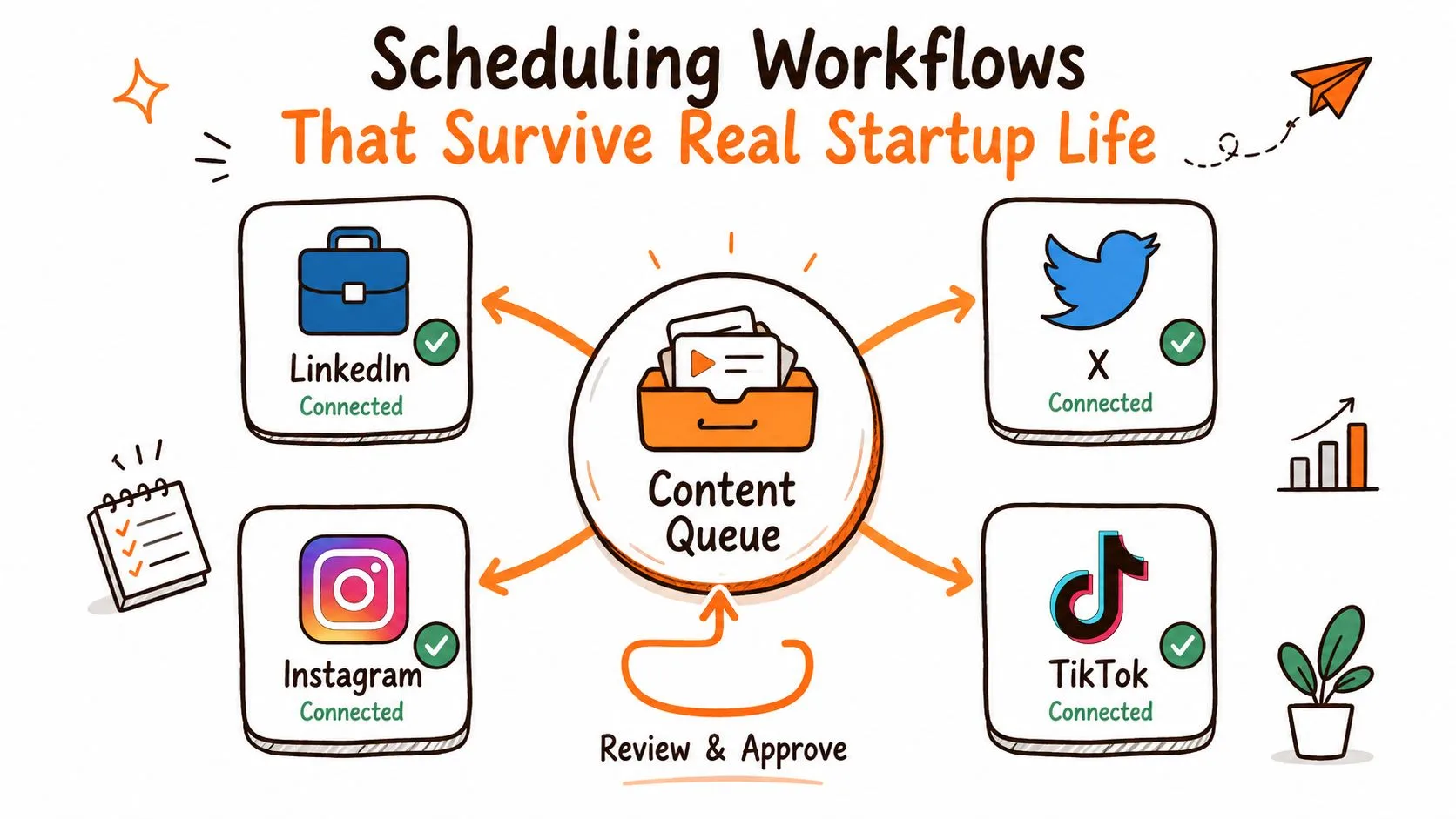
Set up one queue with role clarity
The best workflow starts with a single workspace that connects all the brand profiles you use. In practice, that means LinkedIn, X, Instagram, and TikTok sitting inside one publishing system rather than living in separate tabs and phone apps. The team then works from a shared queue, with one person creating, one approving, and one publishing when needed.
| Role | Responsibility | Fallback |
|---|---|---|
| Creator | Turns one proof item into the source post and destination versions. | Leaves the source claim and asset record for handoff. |
| Approver | Checks the claim, audience, brand context, media, and next action. | Returns one clear correction instead of rewriting in a private thread. |
| Publisher | Checks the account, queue, timing, timezone, and destination settings. | Owns the retry decision when the scheduled publish fails. |
| Reviewer | Confirms the live result and records what the next cycle should learn. | Flags duplicates, stale windows, and unresolved exceptions. |
That role split prevents the usual startup mess, where every founder feels responsible for the same post and nobody knows who owns the final version. It also makes handoffs easier when someone travels or leaves. Shared content libraries, asset folders, and clearly named drafts matter more than they sound like they should.
Build failure recovery into the process
Scheduling workflows should assume that something will go wrong. A post can fail because of rate limits, expired tokens, or network errors. The workflow should push the failed item into a fallback queue, alert the team, and preserve the original draft so it can be retried without rewriting everything.
- Alert: the publisher sees the failure notification and records the affected destination.
- Inspect: check whether the account, asset, link, or scheduling window needs updating.
- Retry: move the corrected post into the retry queue without rewriting the source.
- De-duplicate: confirm that the corrected version did not already publish on another channel.
- Audit: review the queue weekly for ghost posts, duplicates, and stale scheduling windows.
If your current process cannot answer who approves, who retries, and who audits the queue, it is fragile. Posting workflows for social channels should be boring in the best way. Reliable systems do not need heroics.
The startup stop-doing list
Stop doing this by default
- Opening an active account on every network.
- Inventing a fresh topic for every destination.
- Rebuilding the same post from separate blank composers.
- Polishing every post like a launch announcement.
- Checking feeds during the protected creation block.
- Buying a larger tool before defining the workflow.
Keep doing this every week
- Collect customer and product proof as it appears.
- Choose one idea that supports the current goal.
- Write one complete source post.
- Adapt only for channels you actively maintain.
- Check the queue and the live result.
- Use the next session to answer one real question.
When a scheduler helps, and what it does not replace
Native tools are enough when one channel is the complete job. A multi-platform scheduler becomes useful when the team is repeatedly copying, adapting, timing, and checking the same publishing set across several accounts. The broader social media management workflow shows how planning, review, publishing, and exceptions fit together when more people become involved.
Donivo handles the focused publishing part across Facebook, Instagram, X, YouTube, TikTok, LinkedIn, Threads, and Bluesky. The team can create one post, tailor the destination versions, and schedule them from one place. Connections use OAuth, failed publications are retried, email notifications surface exceptions, and multi-workspace support keeps personal and team use separate when needed.
It does not replace customer research, community replies, content judgment, native analytics, or an advanced approval system. If simple multi-platform publishing is the bottleneck, compare the current account and post limits on the Donivo pricing page. If another job is the bottleneck, fix that job first.
Picking tools and managing budget on a lean team
Tool choice gets overcomplicated fast. Most startups do not need the biggest platform; they need the one that matches their publishing volume, approval needs, and budget discipline. The wrong choice is usually the one that looks cheap up front but gets expensive when the team grows or analytics disappear behind higher tiers.
Start with limits, not feature lists
A lean team should stay on a free plan when it is managing fewer than a few profiles and does not need approval routing or detailed reporting. Once multi-user review, queue automation, or basic analytics become necessary, a paid starter tier makes more sense. Enterprise tooling only becomes rational when the team needs compliance, advanced listening, or CRM integration.
| Plan | Supplied limits | When to upgrade |
|---|---|---|
| Free | 3 social accounts and 30 posts per month | Move up when the team needs more accounts, approval routing, or reporting. |
| Starter | 2 workspaces, 10 social accounts per workspace, and 300 posts per month | Use it when multiple people need shared queues, automation, or basic analytics. |
| Pro | Larger publishing volume for a growing team | Choose it when the startup has outgrown the Starter volume or workspace needs. |
This is also where pricing structure matters. Some tools look affordable until per-seat charges climb or analytics disappear behind add-ons. Startups should prefer transparent limits and predictable upgrades, especially if the team is still testing channel fit. Donivo's published plan structure is straightforward here, with a Free tier for 3 social accounts and 30 posts per month, Starter for 2 workspaces, 10 social accounts per workspace, and 300 posts per month, and a Pro tier for larger volume. The early-bird pricing lock on Starter and Pro is also useful for teams that want budget predictability over time.
Compare operational fit before adding integrations
For video-heavy startups, the publishing system should also support platform-specific distribution. A useful companion reference is ViewsMax's YouTube SEO guide if YouTube is part of the mix and the team wants discoverability to matter after upload. That is a different job than social scheduling, but the workflow still needs to be intentional.
If you are tempted to wire together Zapier automations instead of buying a scheduler, ask one question. Will that stack still be easy to manage when someone on the team is gone for a week? If the answer is no, the cheap setup is not cheap.
Measuring success and optimizing for results
A startup's measurement stack needs three layers. Start with engagement by platform, then track pipeline signals tied to business action, then read the comments, DMs, and replies for product signals. If a team only watches likes, it can end up optimizing the wrong thing.
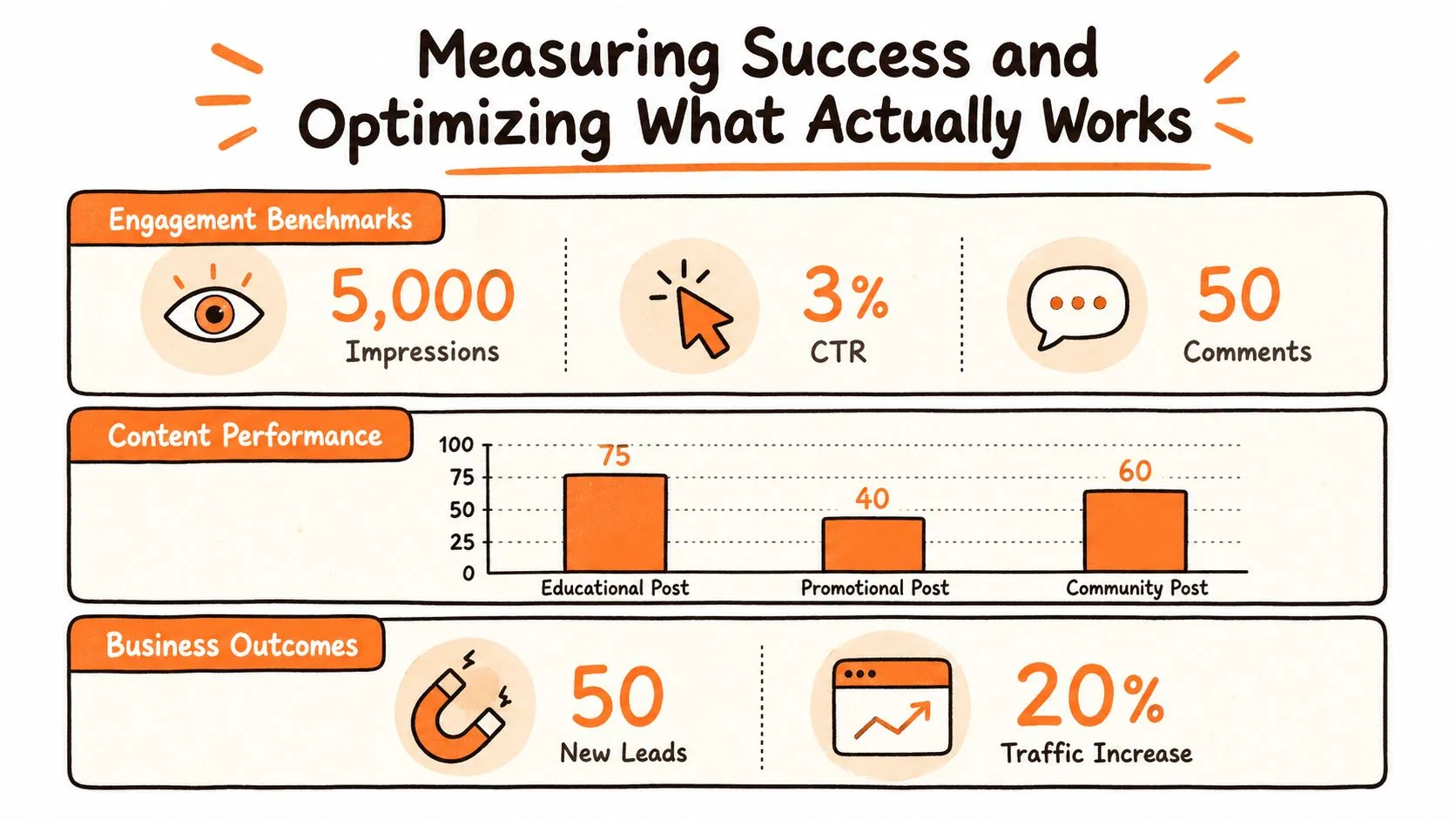
| Layer | Signals | Decision |
|---|---|---|
| Platform engagement | Reach, replies, saves, watch behavior, and profile visits | Keep the formats and channels that earn useful attention for the effort. |
| Pipeline signals | Qualified visits, newsletter signups, demo requests, and conversations | Shift time toward posts that create a business action, not only a reaction. |
| Product learning | Comments, DMs, objections, repeated questions, and customer feedback | Feed recurring questions and patterns back into the product and content plan. |
Measure against the platform, not against the average
Benchmarks only help when they match the network. A benchmark report shows median posting frequency around 3.69 Instagram posts per week, 2.24 Facebook posts per week, and roughly 2.24 LinkedIn posts per week. The same report also notes that organic engagement often stays in the low single digits, with Facebook organic engagement often cited around 0.15% to 1.0% and Instagram brand engagement around 0.30% to 0.48%. Those ranges make one point clear: regular posting does not guarantee response.
A monthly review should stay simple. Pull results into one dashboard, identify the posts that led on engagement and conversion, and compare them with the channels that brought signups or demo requests. Then shift time toward the formats and networks that return the best response for the effort.
If you want a quick read on engagement quality, Donivo's engagement rate calculator keeps the calculation consistent from post to post. The point is not to chase the metric. It is to use the same yardstick every month.
Reallocate based on learning, not habit
The best startup teams change the mix when the numbers point in a new direction. If a LinkedIn carousel gets attention but does not convert, while a short X thread drives more newsletter signups, the workflow should move toward the format that creates the better outcome. One or two months of clean data is usually enough to see that pattern.
A study of startups found positive relationships between Social Media Analytics Use, posting frequency, and customer feedback integration with innovation level. That is the operational point many guides miss. Social media should improve the product learning loop, not just the awareness loop.
There is no single best posting time for every account. A 2015 analysis of 144 million social posts found there is no single best time to post for everyone, and that timing works best when it is learned from your own data (LSE analysis). A 2026 benchmark from Emplifi also says engagement is highest in midweek mornings and weekend evenings, but platform, audience, and region still matter (Emplifi benchmark).
A two-person team can manage multiple platforms without burning out, but only if it uses one source post, a shared queue, and a narrow channel map. The moment every platform becomes a custom production line, the system breaks.
Review the system after four ordinary weeks
Do not judge the workflow by one unusually productive launch week. Run it through four ordinary weeks and review the operating evidence: Did the session happen? Did the startup have enough proof to publish? Did the selected channels produce useful conversations, qualified visits, or questions worth answering? Did the queue reduce repeated copying without hiding work that still needed human judgment?
Keep the parts that made publishing repeatable. Remove a channel when it has weak audience fit, no sustainable format, or no role in the current business job. Expand only when the existing system keeps running during a normal, imperfect startup week.
Donivo gives startups a single place to plan, publish, and manage social posts across multiple networks without turning the workflow into a puzzle. If you want a simpler way to keep cadence, approvals, retries, and scheduling in one place, visit Donivo and see how the system fits your team's way of working.